Every little turn has a story
Dog walking GPS tracking: record your route with PupMarks
Record your dog walk route with PupMarks using your phone’s location. Review estimated distance, duration, and PupMarks, and learn what affects GPS accuracy.
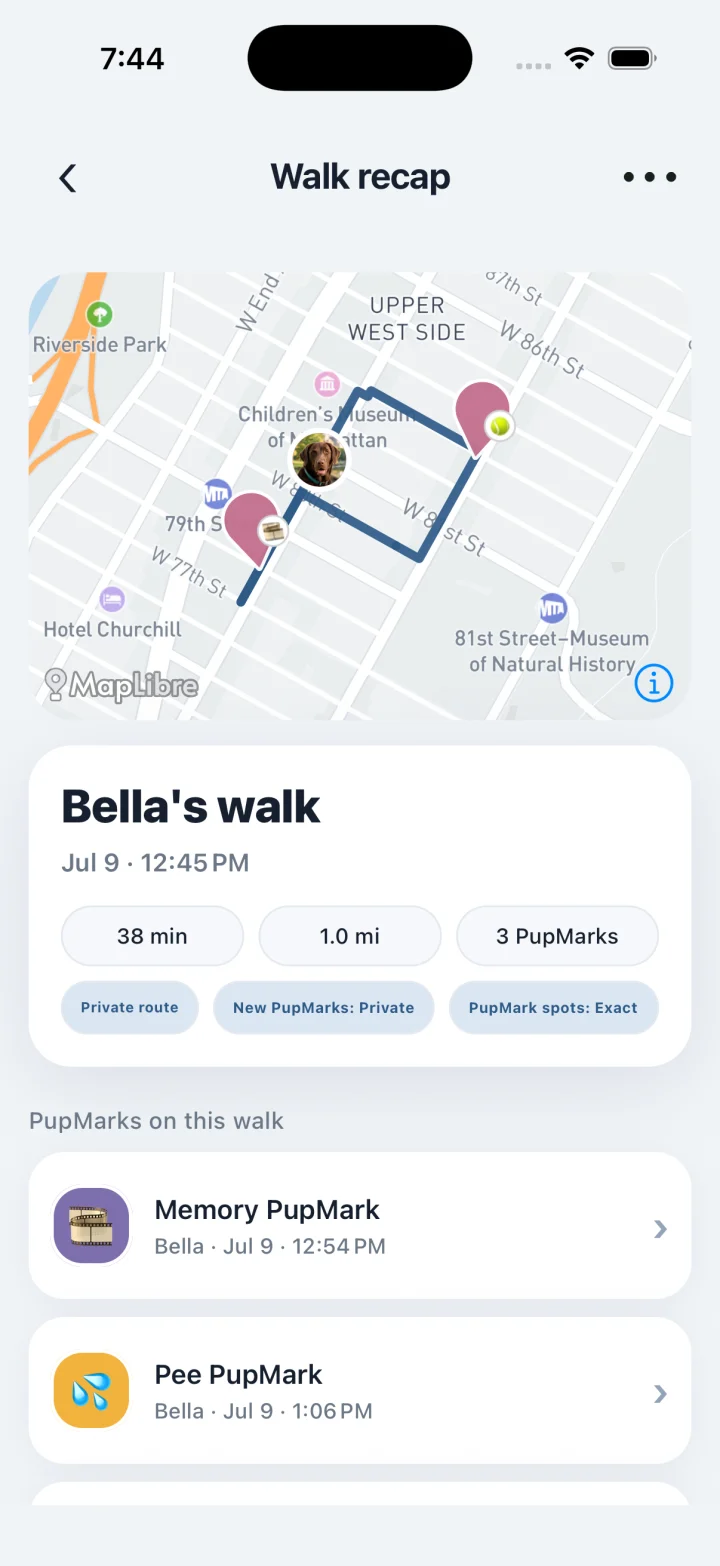
PupMarks uses your phone’s location to record the route of a dog walk. The completed recap includes duration, estimated distance, participating pups, and any PupMarks saved along the way.
PupMarks records your phone’s route and keeps it with your walk. Photos and notes add the story.
What does PupMarks record on a walk?
PupMarks is a phone-based walk diary, not a GPS collar locator. It uses the phone carried on an active walk to record the route, duration and estimated distance, with photos and notes saved as PupMarks. Recording needs location permission, and each PupMark has its own privacy choices.
Can PupMarks locate a missing dog or track a GPS collar?
No. PupMarks records the phone’s location during an active walk. It does not connect to GPS collars or provide a live location for a dog away from that phone. Its recorded walks and saved PupMarks are a diary of outings, not a missing-dog locating service.
See your recorded route
A recorded route follows the location readings from your phone. It helps you recognize the path you took together.
Your completed PupMarks walk also includes duration, estimated distance, and participating pups. Open the recap and the outing comes together in one place.
Recording follows the phone carried on the walk. It requires an active walk and the location permissions needed for that recording.
Start recording a walk
Open the map, tap Walk, choose the pups joining you, and follow any location-access prompts before you tap Start walk.
Start recording before the part of the outing you want to keep. Finish when that outing ends. Clear starting and finishing points give your recap useful context.
Try your usual loop first. You will recognize its turns and landmarks when you look back. The iPhone guide offers a simple first-walk checklist.
Read your recorded route
Phone location provides estimates of position and distance. Read the path together with the outing you remember.
Apple explains how buildings and other obstructions affect satellite visibility in its GPS accuracy guide.
Review the beginning, the turns, and the finish of your recorded walk. These details help you understand the distance shown in your recap.
Use the recap map to recognize places you enjoyed, like a favorite corner or shady stretch.
Add a PupMark to your route
The route shows where your phone went. A PupMark helps you remember what made that spot special.
Pause somewhere safe and stamp a memory. Add a photo of that impressive stick. Write a few words about the pup you met.
Those little details turn a familiar route into a personal story. Our walk tracker guide shows how to bring routes and moments together.
Choose who sees each PupMark
Exact recorded routes remain private in PupMarks. Individual PupMarks have their own audience and location-precision choices.
Check those settings when you share a moment. Choose the people and level of location detail that suit the memory.
Read the privacy FAQ for the current choices. Your diary can be personal, social, or a little of both.
Open a past walk again
Open a recap when you want to revisit an outing. Enjoy the route, the photos, and the notes you saved.
Our dog profile guide shows how each pup’s walks and PupMarks stay together.
Who is dog walking GPS tracking for?
PupMarks records the phone you carry, so it suits people who walk with their pup and want the route saved.
- Owners with a favorite loop: save the path and revisit it when you want the same walk again.
- Puppy owners: keep a map of the places your pup first explored.
- People with more than one pup: pick the pups before you start, and the route belongs to each of them.
- Families and walkers: a person you approve can record a walk on their own phone with time-limited access.
Step by step: record a route
- Open PupMarks and tap Walk.
- Choose the pups joining you.
- Allow location access when prompted. For recording with the phone locked, allow background location.
- Tap Start walk.
- Tap Stop when the walk ends and open the recap to see the route.
Step by step: add a place to the route
- While walking, stop somewhere safe.
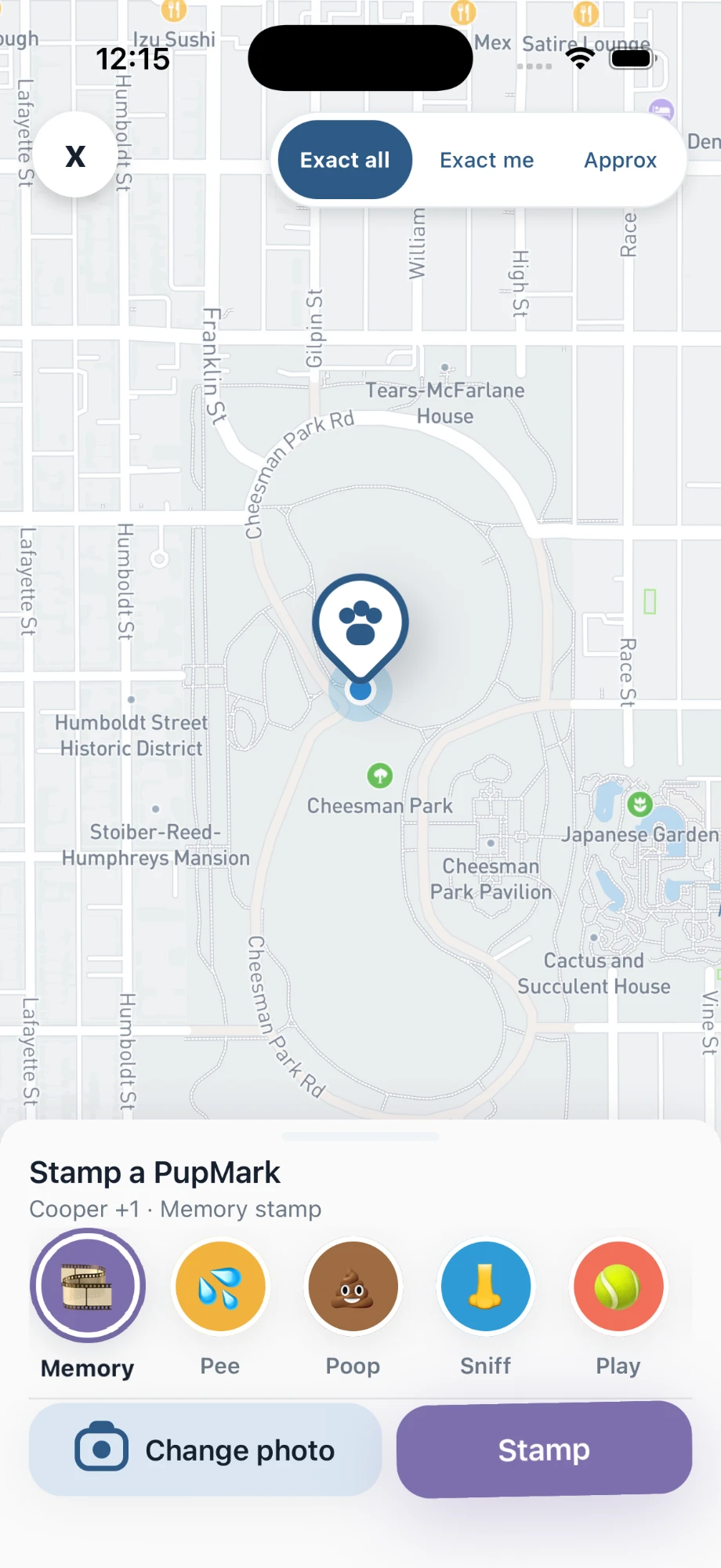
- Tap PupMark and choose a category.
- Check the location precision, add a photo or note, and save.
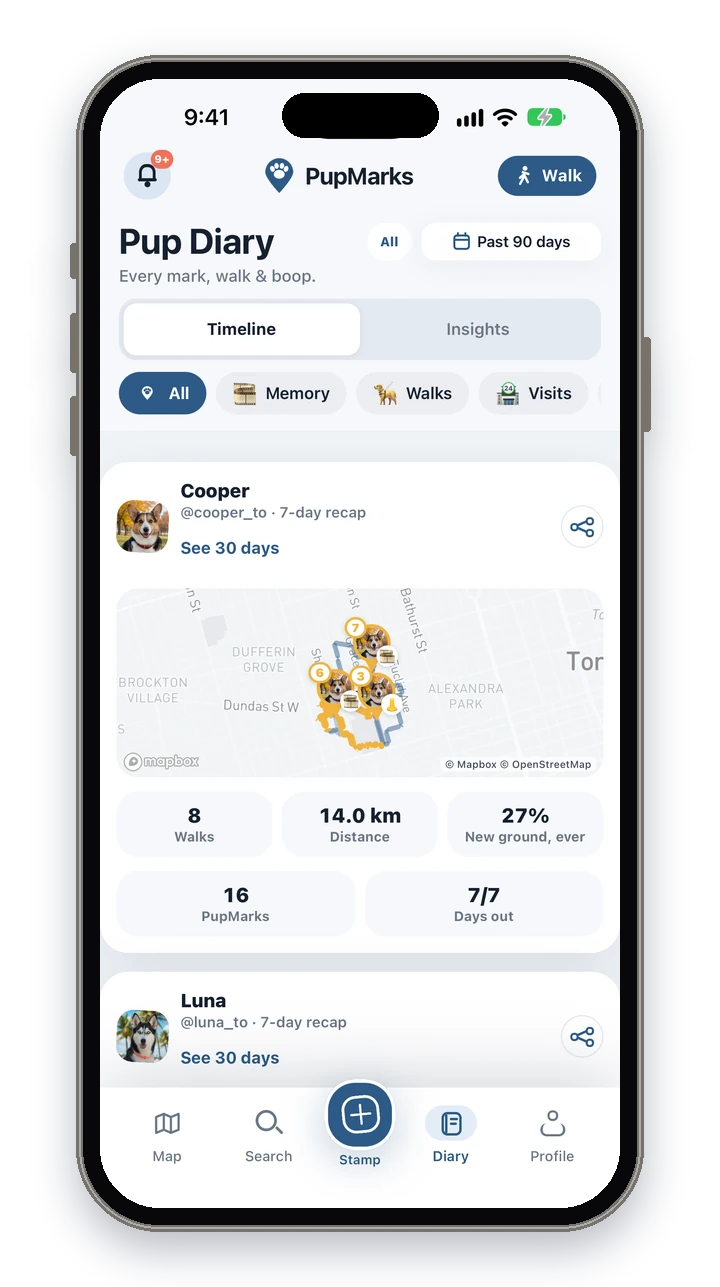
Later, find the walk in Pup Diary and open its recap.
Tips for a cleaner recorded route
Before you tap Start walk, check that location access is allowed. Tall buildings and tree cover can make the route look a little off in places, which is normal for phone GPS estimates.
When the walk ends, tap Stop. Recording runs from Start walk to Stop, so your recap shows the stretch you meant to keep.
Frequently asked questions
Is PupMarks free?
Free to download on iPhone and Android. Owner features and recent saved history work without a subscription. Optional PupMarks Plus gives access to older saved history. Check the app for the current free history window, subscription price, and terms.
Does PupMarks work on iPhone and Android?
Yes. PupMarks is available on the App Store for iPhone and on Google Play for Android.
Does it use my location when I’m not walking?
Precise route recording begins only when you start a walk or another location-sharing feature. An active walk can keep recording while your phone is locked or the app is in the background, and it ends when you tap Stop.
Does recording a walk use battery?
Recording uses your phone’s location (GPS), which uses battery while a walk is active. Recording ends when you tap Stop.
How accurate is the route?
GPS estimates can be affected by buildings, trees, and phone settings, so treat distance as an estimate.
Who can see my walk route?
Only the walk’s owners and a walker with active access can see the exact route. A shared summary keeps the exact route private, and each PupMark has its own audience and location-precision choice.
Can I walk two dogs at once?
Yes. Pick the pups before the walk starts. In the Stamp sheet, choose which pups each PupMark belongs to.
Can my dog walker record a walk for me?
Yes. A friend, relative or walker can record a walk with time-limited access that you approve, using an ordinary PupMarks account. The dog walker guide has the steps.
Related guides
- Dog walking tracker guide: what a saved walk includes and how to record one.
- Dog walking on iPhone: a first-walk checklist for iPhone.
- Photo and location sharing guide: choose the audience and precision for each moment.