A clear handoff from start to recap
Your dog’s walk. A personal recap.
Give trusted dog walkers a clear handoff with PupMarks. Choose pups and access times, record the agreed walk, and bring the outing home in a personal recap.
A great walk gives your dog places to sniff and moments to enjoy. A useful recap brings a little of that adventure home. PupMarks helps trusted walkers and owners connect the two.
This dog walker tracker flow begins with an agreed outing. The owner chooses the pups and access window. The walker records the assigned walk and finishes with a recap for the owner.
Start with a clear handoff
A few clear details help the first walk feel familiar.
- Sign in to your own PupMarks account.
- Confirm the walker’s PupMarks username or email with them.
- Agree which dogs are joining the outing.
- Agree the start and end times.
The owner and walker each use their own account. Match the app’s access window to your agreed plan.
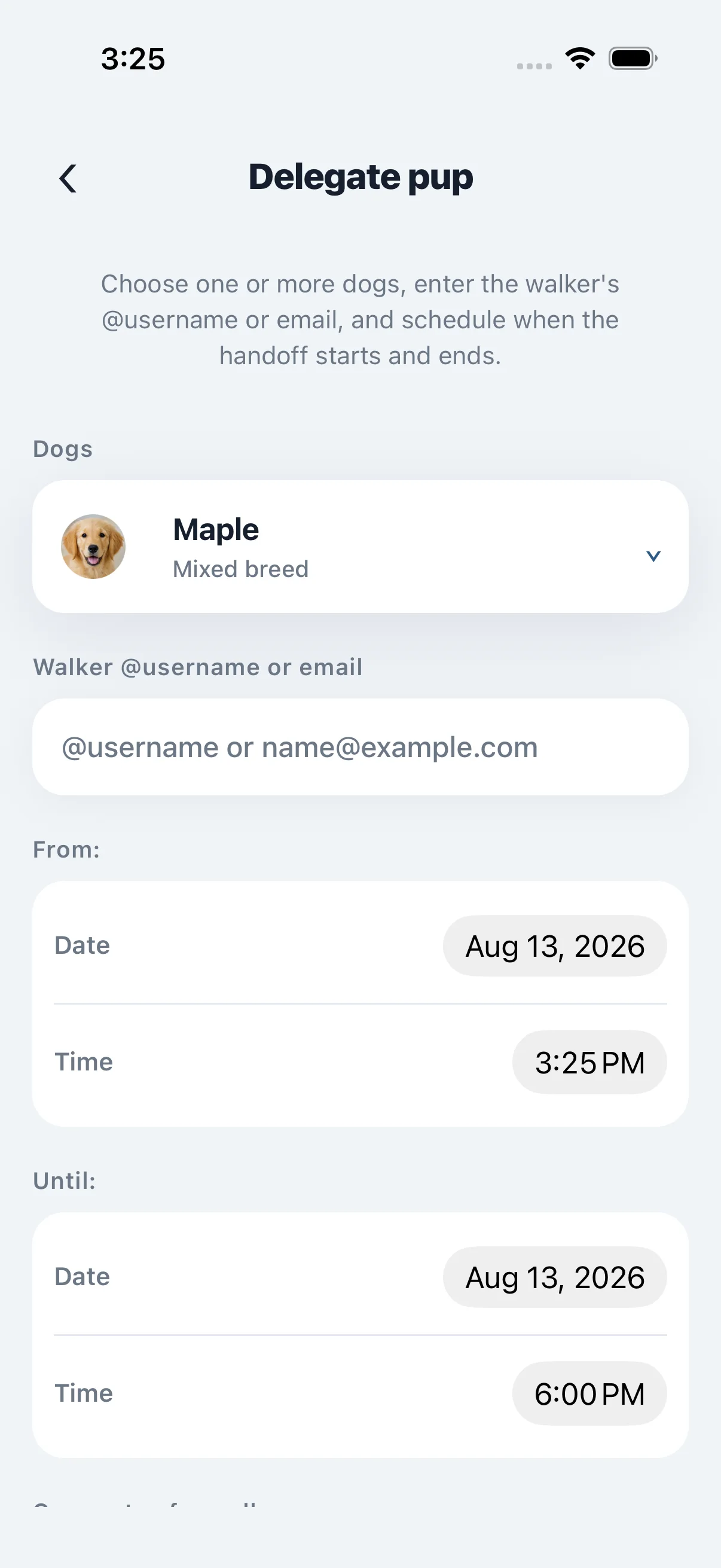
Choose the pups and the time
Create the request from the owner’s account.
- Open Delegate pup.
- Select one or more dogs.
- Enter the walker’s username or email.
- Set the From date and time.
- Set the Until date and time.
- Review the details before sending the request.
The owner controls the access window and can end it early. Delegation covers the selected pups during that window.
Accept the request and head out
Continue from the walker’s account.
- Review the pup and schedule in the request.
- Accept the delegation request.
- Open Walk for the assigned outing.
- Choose the participating pups.
- Tap Start walk.
Your phone records the route you walk together. Enjoy the outing and the small discoveries along the way.
Visit our dog and owner app guide for more about roles.
Save the moments an owner will love
A favorite sniff stop or cheerful play break can capture the walk’s character.
- Pause somewhere suitable.
- Tap PupMark during the active walk.
- Add a photo or short note about the moment.
Specific details make a recap personal. “Stopped at the shady bench after the bridge” brings the outing to life. One thoughtful moment can say plenty.
Bring the outing home in a recap
Finish with a record the owner can revisit.
- Tap Stop when the assigned walk finishes.
- Review the completed recap.
PupMarks saves duration, distance, route, participating pups, and the PupMarks added along the way. The owner receives the walk receipt in their Activity Feed.
Delegated walks start private. Exact routes stay within the authorized walk experience. The owner can later share a summary that keeps the exact route private.
Explore PupMarks for dog walkers for the handoff steps. Our walk tracking guide explains the recap.