A little home for a big personality
Dog profile app: photos, walks and care in PupMarks
Create a dog profile in PupMarks for photos, saved walks, and PupMarks. Keep vaccine, medication, and grooming records private in the Care tab.
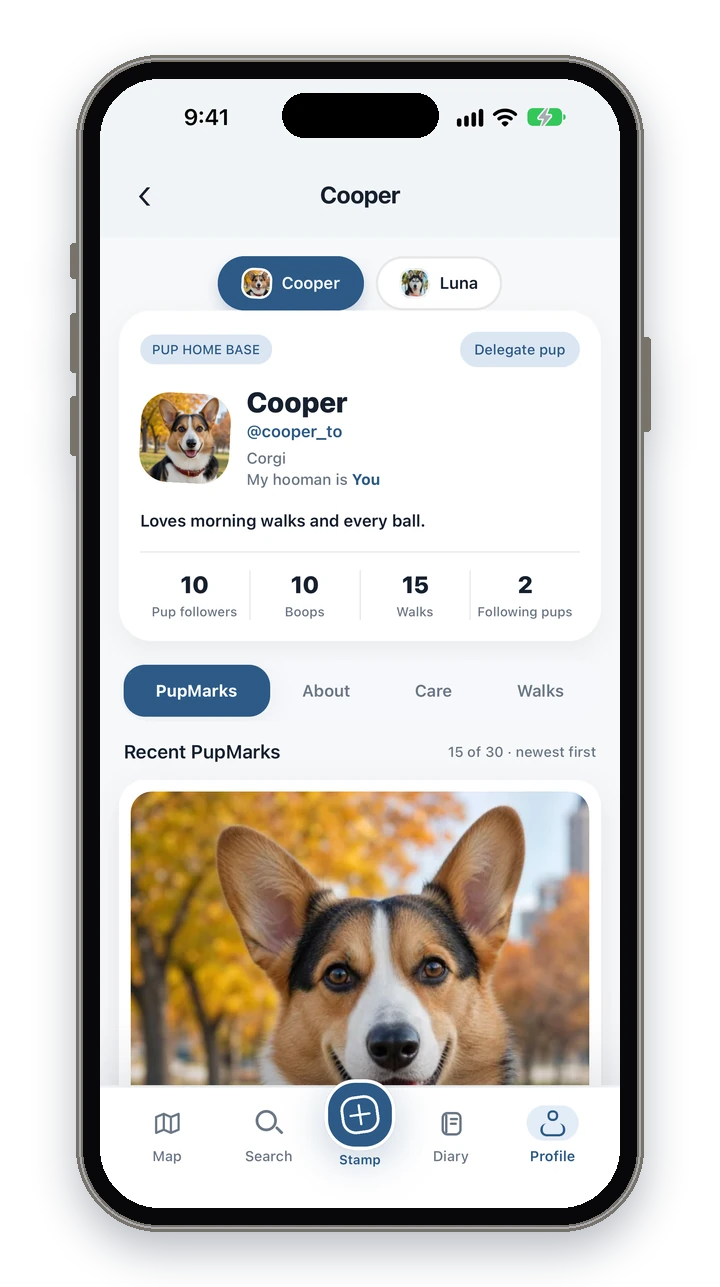
A PupMarks dog profile keeps a dog’s photo, details, saved walks, and PupMarks together. You can also keep private vaccine, medication, and grooming records.
Is PupMarks a pet profile app for dogs?
Yes. PupMarks is a pet profile app built for dogs. Give each pup a photo, personal details, saved walks and PupMarks, with private vaccine, medication and grooming records. Choose visibility for the profile and individual moments. The app’s profiles and walking features are designed around dogs, rather than every kind of pet.
Can I create a separate profile for each dog?
Yes. Create a profile for each dog and select the right pup when saving a PupMark or starting a walk. A recorded walk can include several participating pups. Separate profiles help you revisit each dog’s photos, care records and outings without combining their stories.
Add a photo and a short story to your pup’s profile
- Choose a clear photo of your pup.
- Add their name and profile details.
- Write a short story about their personality.
A favorite habit works well as the short story, for example “Carries a tennis ball everywhere.”
Have a whole pack? Give each pup their own photo and profile. Select the right pup as you add a walk or memory.
Save a PupMark with a photo and a note
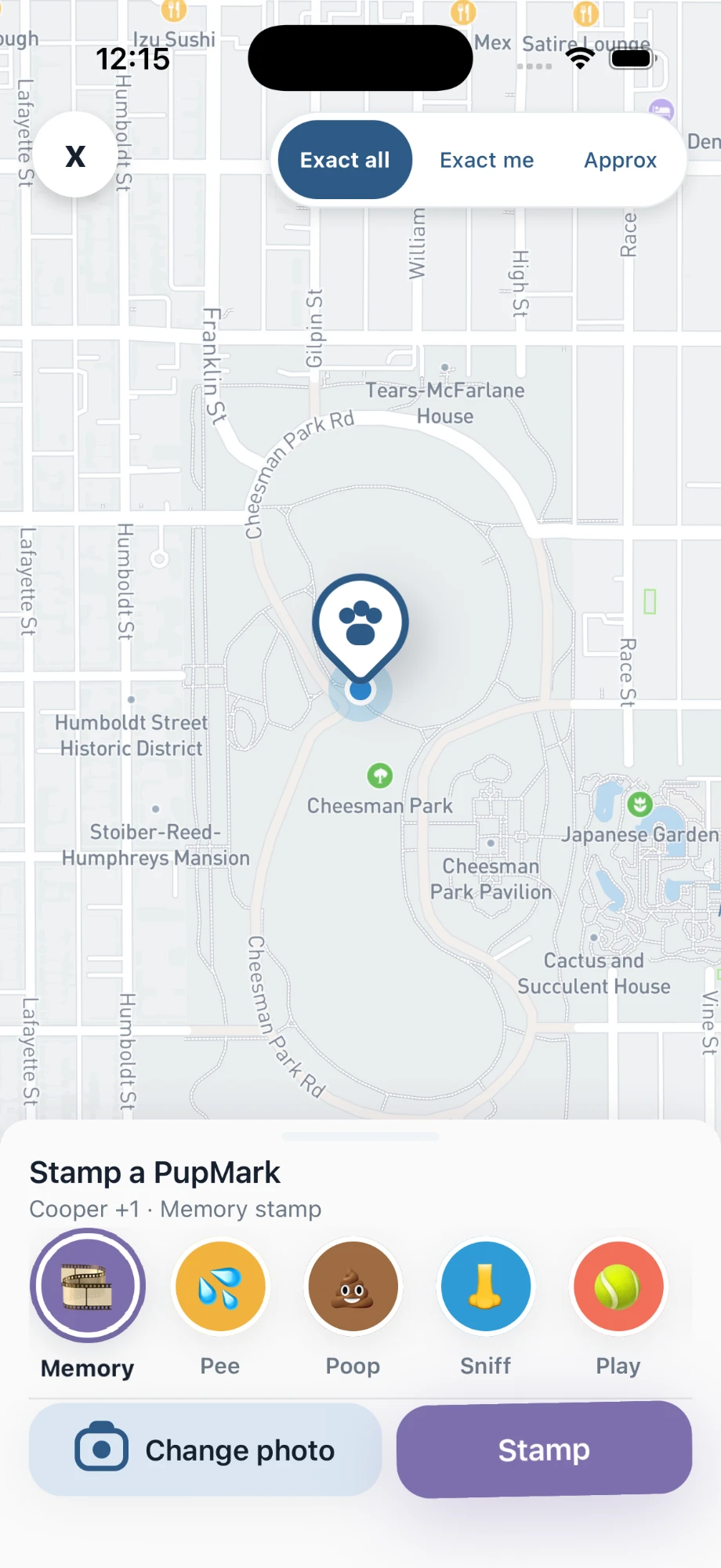
- Open Stamp in PupMarks.
- Choose your pup and a moment type.
- Add a photo or a short note.
- Choose the audience and location detail.
- Tap the stamp button to save your PupMark.
Try a note like “First paddle at the lake.” Or “Reunited with the neighbor’s pup.”
You can save a PupMark during a walk or on its own. That includes a sunny patch at home.
About, Care, and Walks on every profile
Your pup’s profile includes About, Care, and Walks. Each area holds a different part of their life.
- About: the details that introduce your pup.
- Care: private vaccine, medication, and grooming records.
- Walks: the outings you have recorded together.
- PupMarks: the little moments you choose to save.
Add a care record whenever you have an update, and save a PupMark whenever you like.
Choose who sees your pup’s profile
Choose who can see your pup’s profile and each PupMark. Pick the location detail that suits the moment. Your exact walk routes stay private.
A public PupMark is visible to signed-in PupMarks users. A private PupMark stays just for you.
Open past walks and PupMarks in Pup Diary
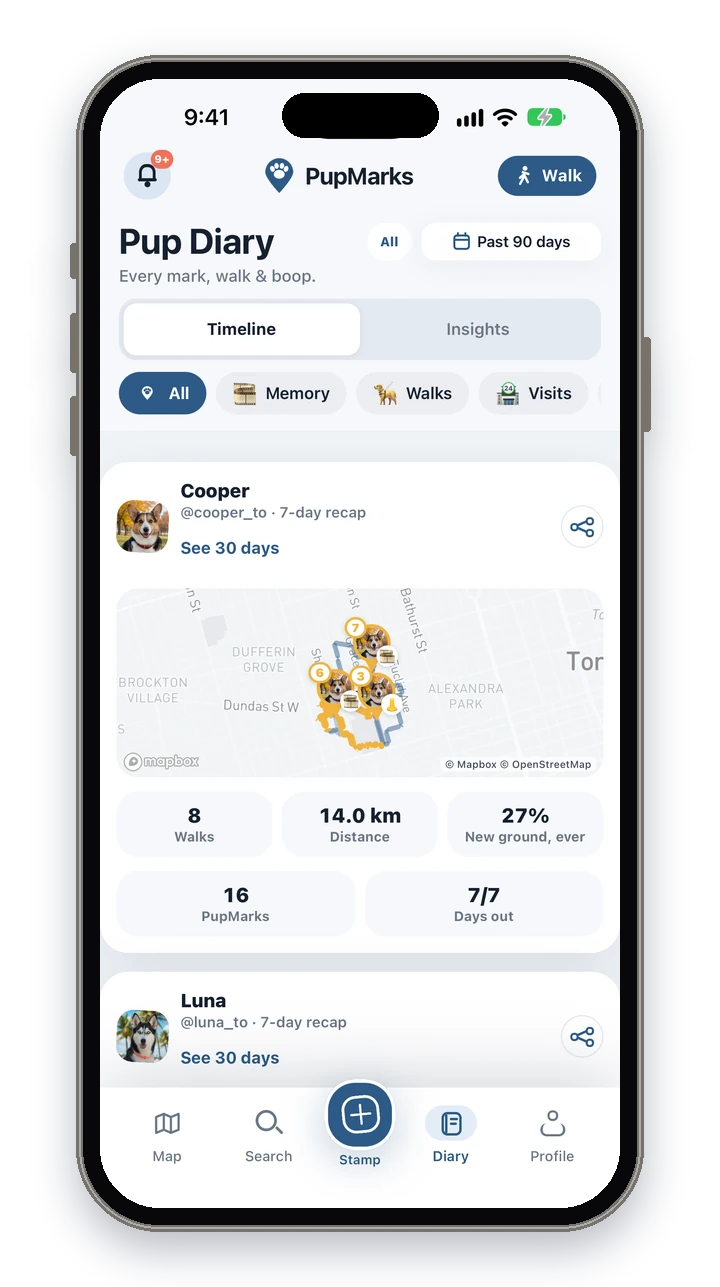
Open Pup Diary and look back on the walks and moments you saved. The Timeline tab lists them in order, and the Insights tab shows the weekly recap for each pup: walks, distance, PupMarks, unique paths and days out.
In PupMarks you can start with one pup, one photo, and one PupMark, and add the rest later.
If your pup is moving to a new family, read how to rehome a dog. To keep their memories after they pass away, read how to remember your dog.
Who is the PupMarks dog profile for?
A PupMarks profile helps most when there is a lot to remember:
- New puppy owners. Start the profile on day one, then add a PupMark for each first.
- People with more than one dog. Each pup gets a profile. The first living pup is free and more pups need PupMarks Plus.
- Owners who like to keep care in order. Vaccine, medication and grooming records stay private in the Care tab.
- Anyone who shares dog care. A walker or relative can record a walk with owner-approved access.
Step by step: add a pup
- Open Profile.
- Find Your pack.
- Tap Add pup.
- Add a photo, a name and the details you want to keep.
Step by step: look back at their story
- Open Pup Diary.
- Use Timeline for saved walks and moments.
- Use Insights for the weekly recap: walks, distance, PupMarks, unique paths and days out per pup.
You do not need to fill in everything at once. Start with a photo and a name, then add details when you have a minute. The profile grows with each walk and PupMark you save, and the diary keeps them in one place.
Each profile has its own visibility setting, so you can decide who sees your pup separately from who sees each PupMark. Your first living pup is free, and more pups need PupMarks Plus. Memorial and rehomed pups don’t count toward that limit. Care records for vaccines, medication and grooming stay private.
Frequently asked questions
Is PupMarks free?
Free to download. Owner features and recent saved history work without a subscription. Optional PupMarks Plus adds older saved history. Check the app for the current free history window, subscription price, and terms.
Does it work on iPhone and Android?
Yes. PupMarks is on the App Store for iPhone and on Google Play for Android.
Is a second dog free?
No. Your first living pup is free, and more pups need PupMarks Plus. Memorial and rehomed pups don’t count.
Who can see my dog’s profile?
You choose. A profile has its own visibility setting, and each PupMark has its own audience too.
Are care records public?
No. Vaccine, medication and grooming records are private in the Care tab.
Can I see older walks and PupMarks?
Recent saved history is available without a subscription. Optional PupMarks Plus adds older saved history.
Can I add a memorial or rehomed pup?
Those pups do not count toward the free pup limit. See the guides on remembering a dog and rehoming a dog for the steps.
Can I use PupMarks for pets other than dogs?
PupMarks is built around dogs. Its profiles and walking features are designed for them.
Related guides
- Dog diary guide: everyday memories in Pup Diary.
- Puppy diary guide: celebrate early adventures.
- Multiple dogs guide: profiles, switching pups and second dogs.