
A dog walking app for iPhone
Dog walking app for iPhone: record walks with PupMarks
Record dog walks on iPhone with PupMarks. Follow the first-walk steps, allow location access, and save routes, duration, estimated distance, and PupMarks.
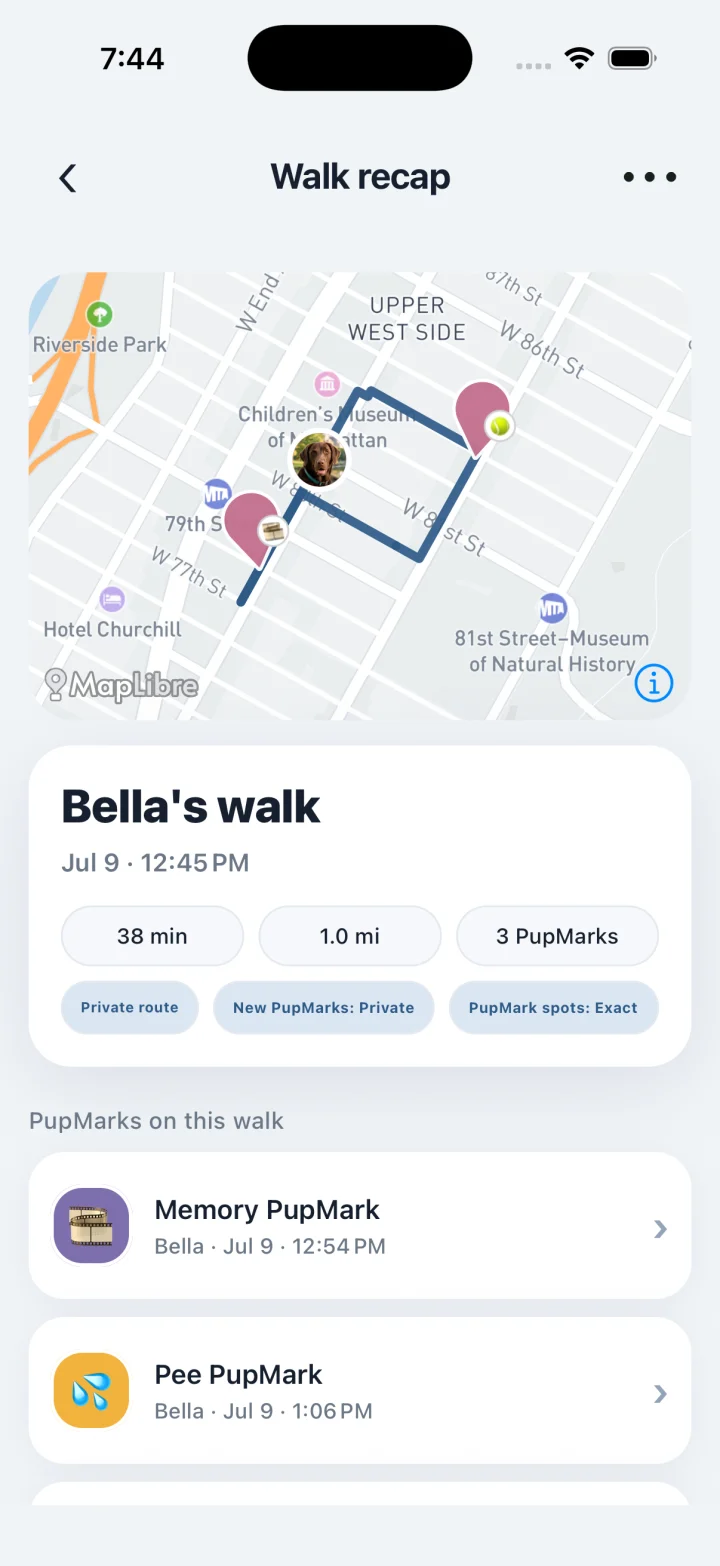
PupMarks is a dog walking app for iPhone. Start a walk, record its route using your phone’s location, and save photos or notes at stops along the way.
PupMarks brings recorded routes, photos, and little moments into one pup diary. Start with a familiar loop. Finish with a memory you can revisit.
Your first walk with PupMarks
Open PupMarks and choose the pup joining you. A clear profile photo makes your dog easy to recognize. Check the participants when your whole pack comes along.
PupMarks shows the map before you start. For a first walk, pick a short loop you already know, so you recognize the path when you open the walk recap afterward.
Allow location access in PupMarks
Location access lets PupMarks build the route your phone records. Read the permission prompt and follow the current in-app guidance.
You can review your app permissions in your iPhone settings. Apple’s location-sharing guide explains the available controls.
PupMarks shows the map for your area before you tap Start walk.
Save a PupMark during the walk
At a safe stop, save a moment in PupMarks. A play spot, a new friend, or a favorite view all work. The numbered steps are further down this page.
Stamp a PupMark and add a photo or note. A few words can bring the whole moment back later.
Open your walk recap
End the walk when your outing finishes. Open the recap to see what you saved.
Your completed walk brings together its route, duration, estimated distance, and participating pups. PupMarks from the outing stay connected to that walk.
Read the map alongside your memories. Phone location provides estimated positions and distances. Our GPS guide explains how to read the route.
Choose who sees each PupMark
Exact recorded routes stay private in PupMarks. You choose the audience for individual PupMarks and pup profiles.
Check your PupMark’s audience and location precision before sharing. Keep a memory for yourself or share it with your chosen audience.
The PupMarks FAQ explains the privacy labels you will see.
Every walk follows the same steps
Each walk in PupMarks works the same way: choose your pups, tap Start walk, save a PupMark if you like, and tap Stop. The recap then joins your Pup Diary.
Who is PupMarks for?
PupMarks fits a lot of everyday routines. A few examples:
- New puppy owners. Early walks are short and full of firsts. Save a PupMark for each one and the first weeks stay easy to revisit.
- People with more than one dog. Pick every pup before the walk starts, then choose which pups each PupMark belongs to in the Stamp sheet.
- People whose family or dog walker handles some outings. A friend, relative or walker can record a walk with time-limited, owner-approved access, using an ordinary PupMarks account.
- Anyone who likes photos and little notes. A walk is more than a line on a map. Add a picture or a few words and the outing is yours to look back on.
Step by step: record a walk and save a PupMark
- Open PupMarks and tap Walk.
- Choose every pup joining you. Do this before the walk starts.
- Allow location access when the app asks. To keep recording while your phone is locked or PupMarks is in the background, background location needs to be allowed too.
- Tap Start walk. Recording runs from this tap until you tap Stop.
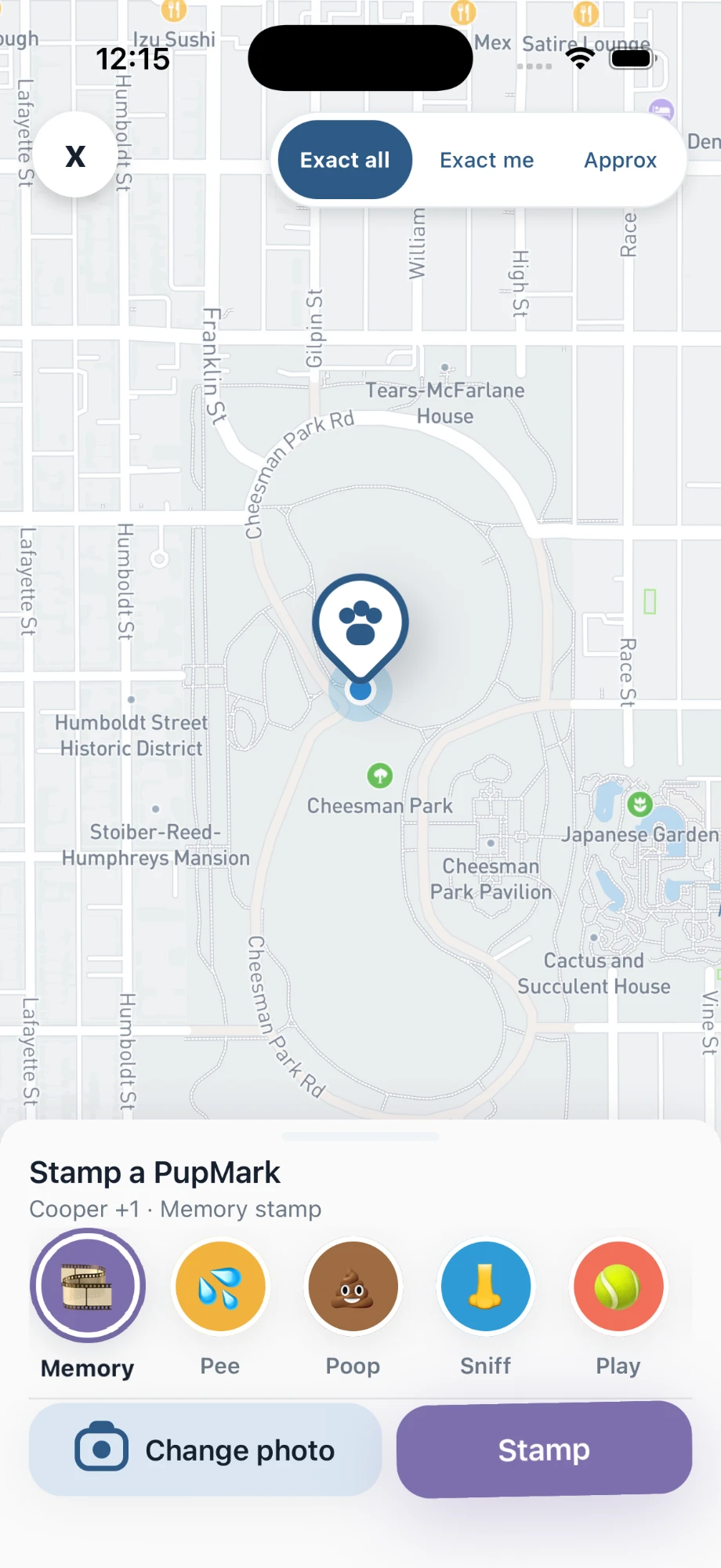
- At a safe stop, open Stamp, choose a moment type, and add a photo or a short note.
- Pick the audience and location detail for that PupMark, then tap the stamp button to save it.
- Tap Stop when the outing ends.
Step by step: find your walk later
- Open Pup Diary.
- Use the Timeline tab to scroll through saved walks and moments, or the Insights tab for the weekly recap.
- Each completed walk keeps its route, duration, estimated distance and the PupMarks you saved along the way.
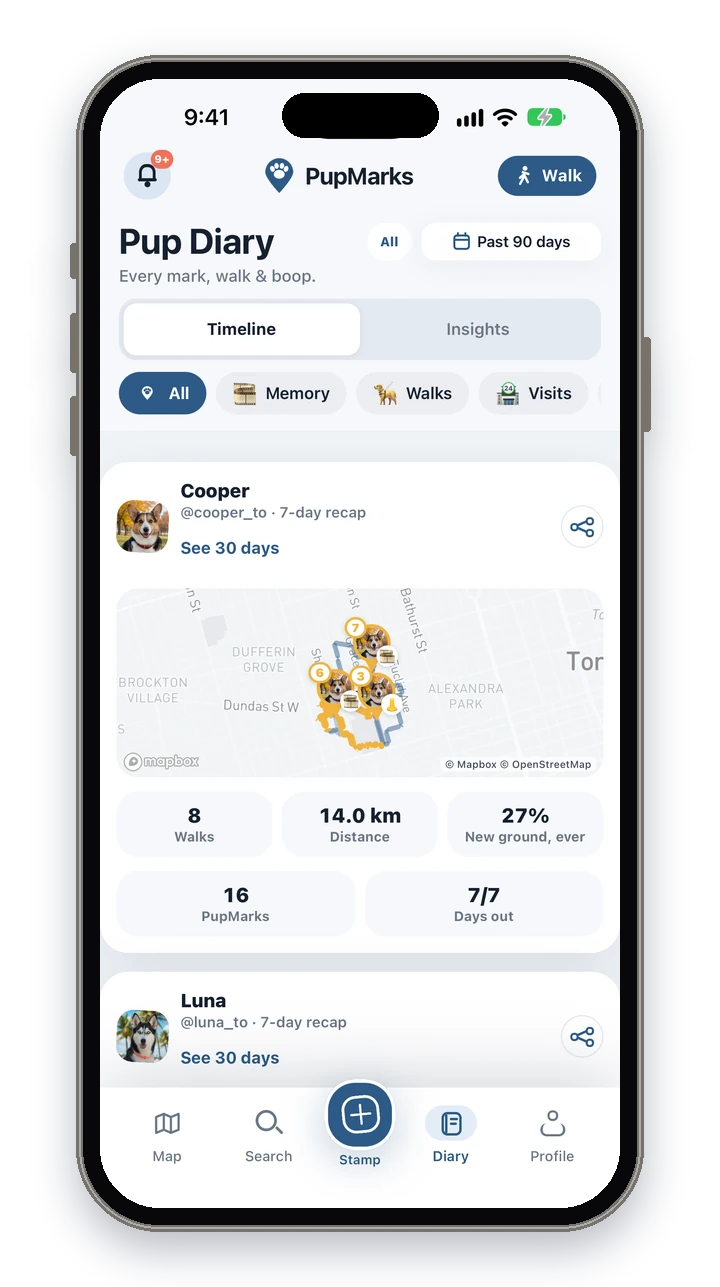
The weekly recap shows walks, distance, PupMarks, unique paths and days out for each pup.
Short walks work well for a first try. Start, save one moment you like, stop, and open the recap. Once that feels familiar, add a second pup or a longer loop.
Frequently asked questions
Is PupMarks free on iPhone?
Free to download. Owner features and recent saved history work without a subscription. Optional PupMarks Plus adds older saved history. Check the app for the current free history window, subscription price, and terms.
Does it work on iPhone and Android?
Yes. PupMarks is on the App Store for iPhone and on Google Play for Android.
Does it keep recording when my phone is locked?
Yes, once background location is allowed. An active walk keeps recording while your phone is locked or the app is in the background.
Does recording a walk use battery?
Recording uses your phone’s location (GPS), which uses battery while a walk is active. Recording ends when you tap Stop.
Does PupMarks use my location when I’m not walking?
Walk recording runs from Start walk to Stop. To review what you have allowed, read the in-app location prompt and your iPhone settings.
Can I walk two dogs at once?
Yes. Choose the pups before the walk starts. In the Stamp sheet, you then choose which pups each PupMark belongs to.
Is a second dog free?
No. Your first living pup is free, and more pups need PupMarks Plus. Memorial and rehomed pups don’t count.
Can the recorded route be a little off?
Yes. Buildings, trees and phone settings can affect GPS estimates, so treat the route and distance as estimates.
Related guides
- Dog walking tracker guide: the whole routine for recording your own walks.
- Dog profile guide: set up a profile and care records for each pup.
- GPS guide: how to read the route and why estimates vary.