Their profile, your choices
Your dog’s story. Your circle.
Bring your dog’s story and your favorite people together in PupMarks. Discover pup profiles, personal sharing choices, and owner-approved walker access.
Your dog brings people together. Familiar faces on the morning walk. Friends who love every new photo. A trusted walker who knows their favorite turn.
A dog and owner app gives those connections a personal home. PupMarks centers the story on your pup. You choose the audience and manage access for the routines you share.
Give your pup the spotlight
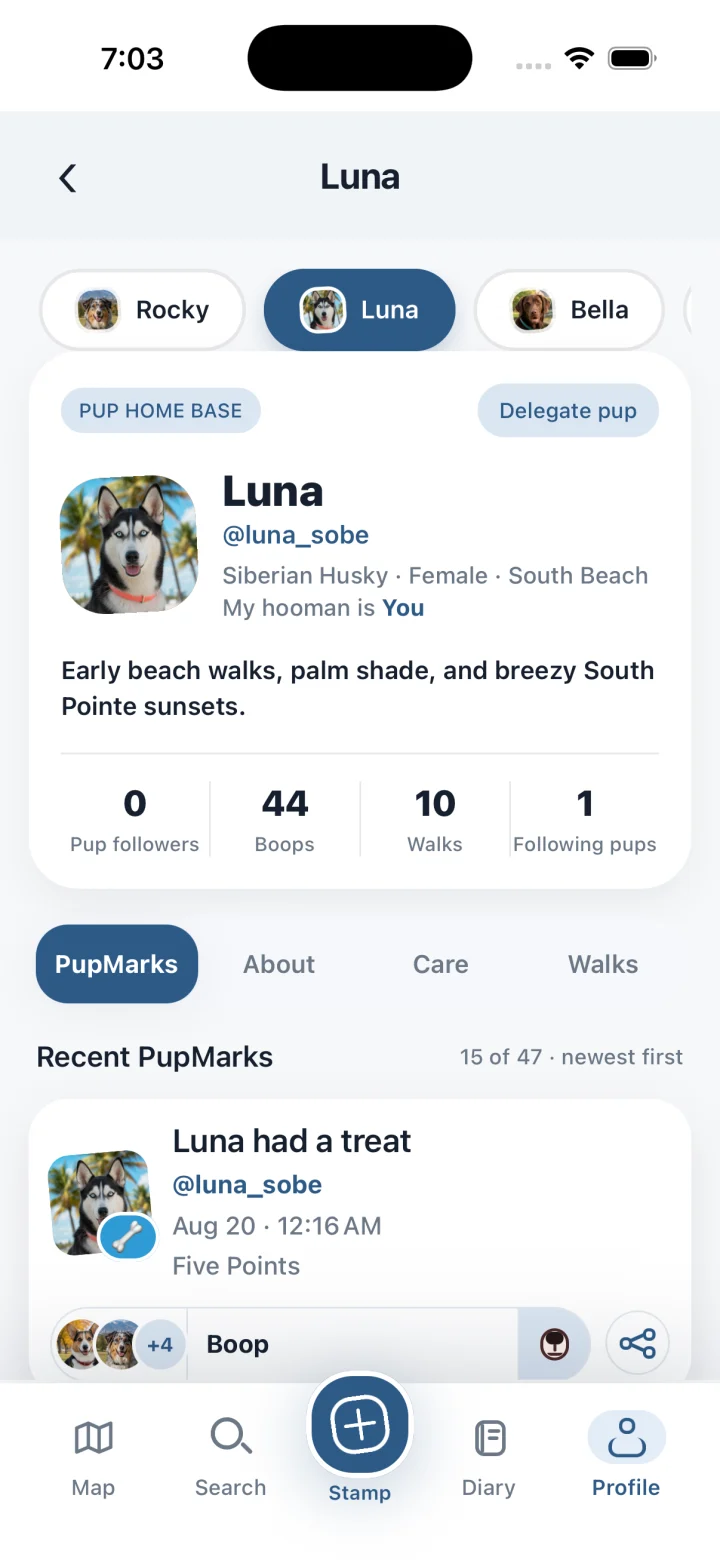
Your account lets you sign in and manage your experience. Your pup’s profile celebrates the dog behind the adventures.
- Choose a clear photo for your pup’s profile.
- Add a short story about their personality.
- Check the selected pup before saving a moment.
Small details make the profile feel like them. Shared walks can include several participating dogs, giving each adventure the right cast.
Build the audience that feels right
Choose visibility for pup profiles and individual PupMarks. Keep personal memories private. Share favorite stories with approved followers or the wider signed-in PupMarks community.
Think about the people you want beside each moment. A close friend may love that familiar toy story. A cheerful park photo may suit a wider audience.
Following a pup lets people connect with the stories available to them. Walker access serves a separate purpose. Each relationship has a clear place in your shared routine.
Choose how much of the place to share
A PupMark connects a memory with a location. Its precision setting lets you choose an exact spot or nearby area. Review that choice alongside the audience.
Your exact recorded walk routes stay private. Shared PupMarks keep their own visibility and location settings. This gives each story a thoughtful, personal sharing choice.
Read the privacy and location FAQ for the labels. Explore our GPS walk tracking guide for more about recorded routes.
Welcome a trusted walker into the routine
The owner chooses the pups and access window. The walker uses their own account.
- Open Delegate pup.
- Select the pups for the walk.
- Enter the walker’s username or email.
- Set the start and end times.
- Review the details before sending the request.
The walker accepts the request before recording the assigned walk. The owner can end access early. The completed walk produces a recap for the owner.
Keep your shared life easy to follow
Start with the connections that already matter to you. Invite the right people into the right moments. Let the app support the routines you enjoy together.
Keep each person on their own account. Use profile sharing for stories and delegation for assigned walks. Clear roles help everyone know where they belong.
Our walker tracker guide explains the handoff. Our dog diary guide helps you organize everyday memories. Your pup supplies the adventures, and you choose how the story grows.