More moments together
App for dog owners: walks, photos and care in PupMarks
Use PupMarks on iPhone and Android to record dog walks, save photos and notes, and keep private care records with a profile for each dog.
PupMarks is an app for dog owners on iPhone and Android. It combines phone-recorded walks, dog profiles, photos, notes, and private care records.
PupMarks keeps those moments close. It brings walk tracking, pup profiles, and everyday memories together in one place.
What PupMarks does for dog owners
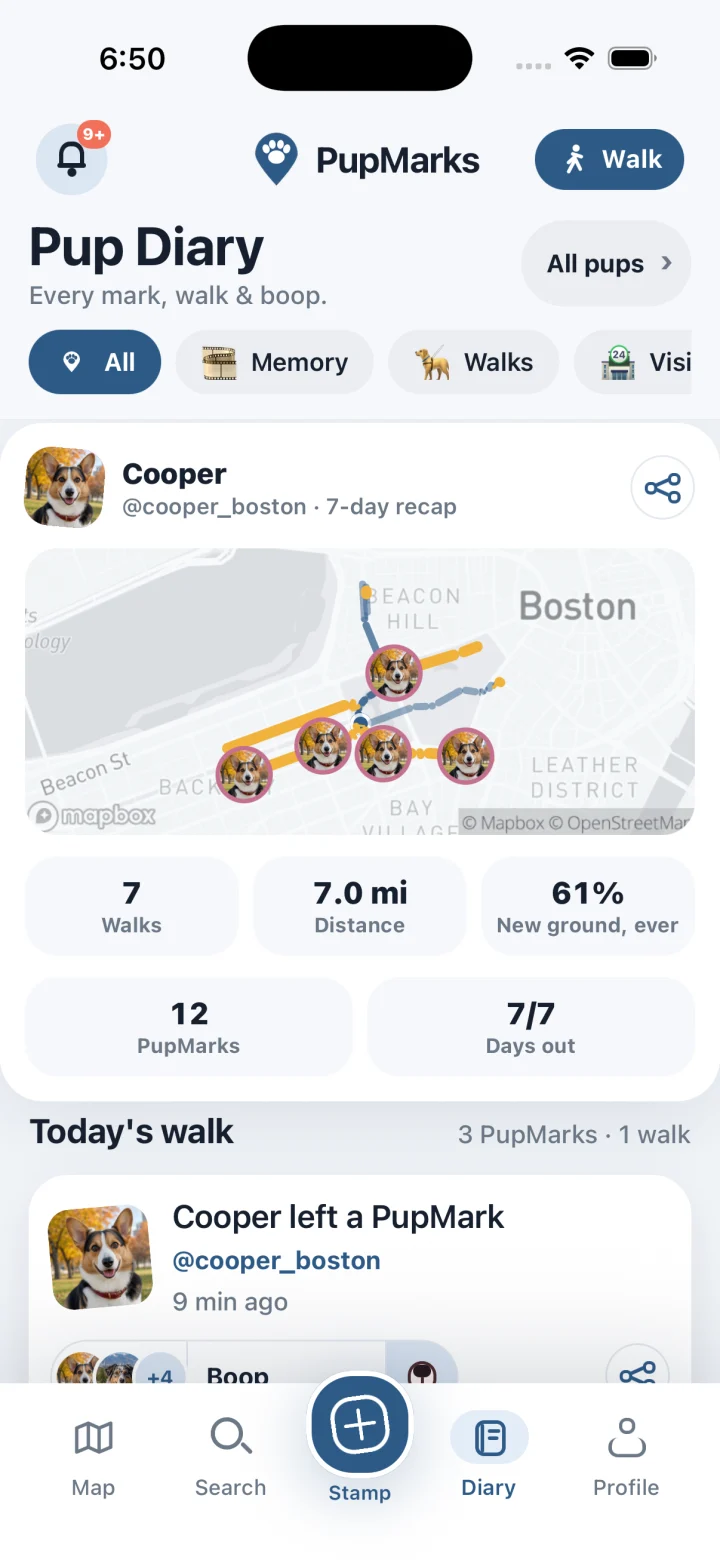
PupMarks is built around the walks and moments you share. Your phone records an outing. Your PupMarks add the story along the way.
Each pup gets a profile, each walk gets a recap, and Pup Diary gathers the week for you.
Record walks and revisit them in PupMarks
PupMarks saves the route, time, distance, and pups who joined you.
Add the moments that make the outing special. The stick your pup carried home. The friend you met by the gate. The favorite sniff stop.
In PupMarks, a finished walk includes its route and the PupMarks you added. Open the recap when you want to enjoy it again.
See the simple start-to-finish routine in our dog walking tracker guide.
Give every pup a profile
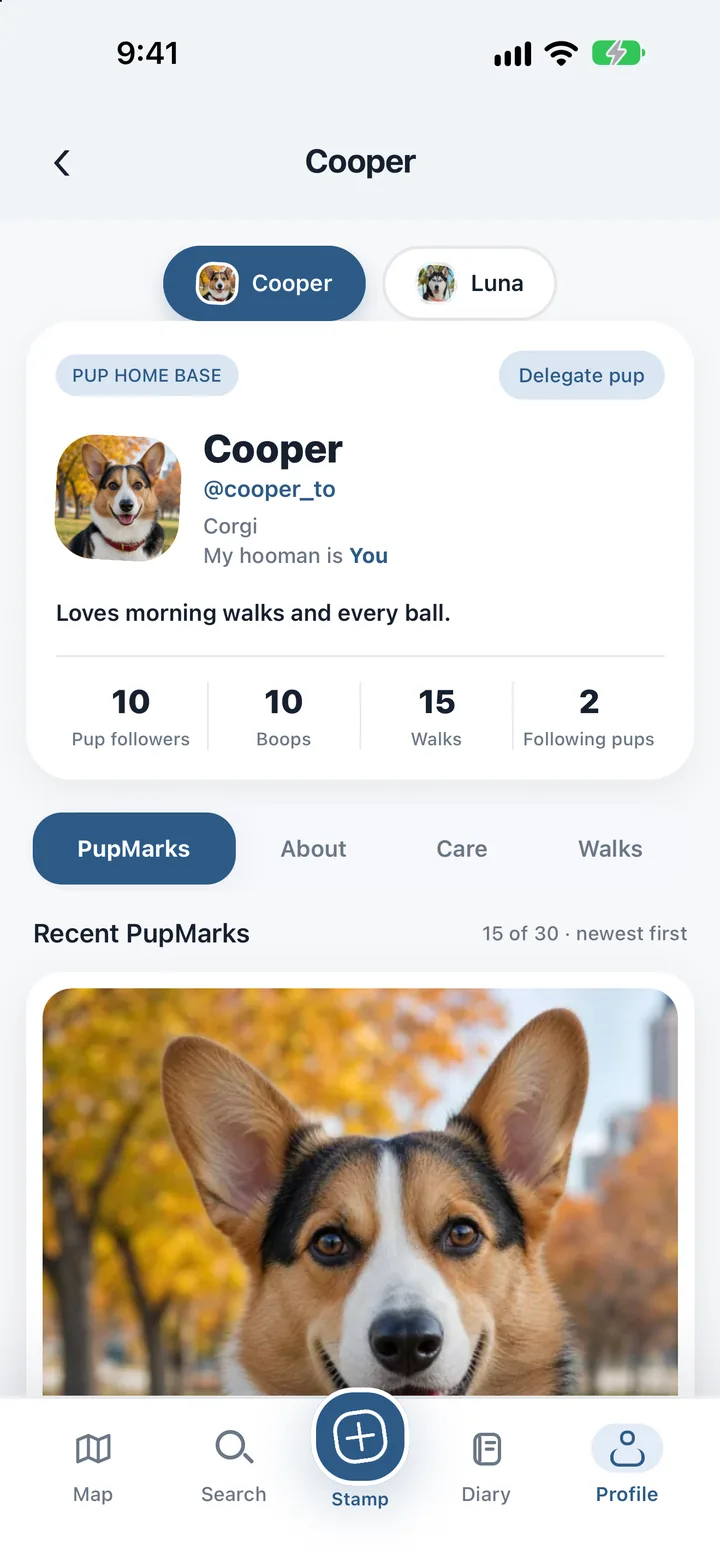
In PupMarks, each pup has a profile of their own. Start with a photo, a name, and a few favorite details.
Use the pup switcher to move between pups, and check the selected pup as you save a new entry.
Our dog profile guide shows how photos, care records, walks, and PupMarks come together.
Choose who sees each PupMark
In PupMarks, you decide who can see a profile or moment. You also choose how much location detail to share.
PupMarks gives profiles and PupMarks their own visibility choices. Exact walk routes stay private. You choose how each saved moment reaches others.
Who is PupMarks for?
PupMarks suits owners who want walks, photos and care records in one calm place.
- New and puppy owners: a profile, photos and saved walks start your pup’s story from day one.
- Households with more than one pup: the first living pup is free, and each pup gets a profile of their own.
- People who share the walks: a friend, relative or walker can record a walk with time-limited access you approve.
- Anyone who loves photos: save a moment with a picture or note, then choose how it is shared.
Step by step: set up your first pup
- Download PupMarks from the App Store or Google Play.
- Open Profile to see your pup’s profile.
- Add a photo, a name and a few favorite details.
- Need another dog? In Profile, find Your pack and tap Add pup. A second living pup needs PupMarks Plus.
Step by step: save a moment on a walk
- Start a walk with Walk and Start walk.
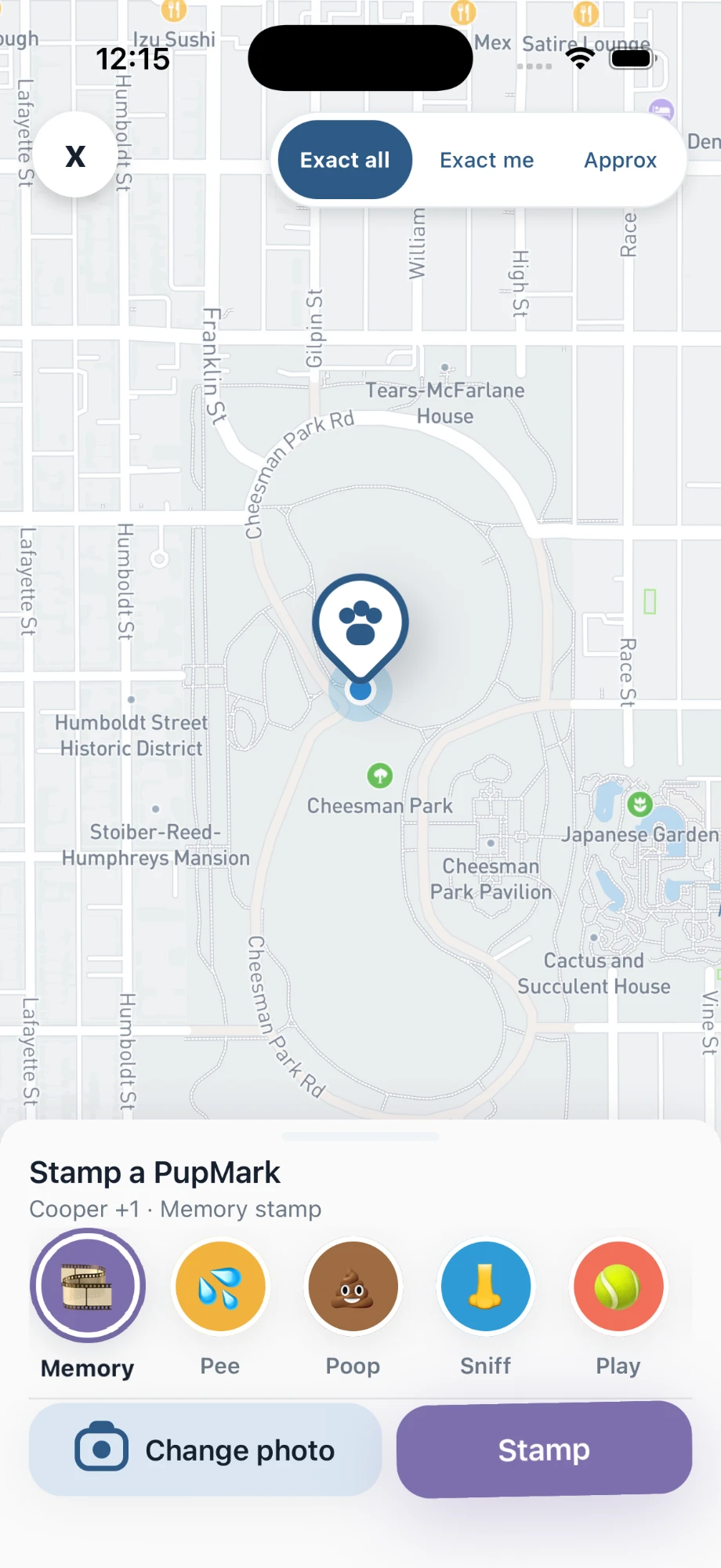
- At a stop, tap PupMark.
- Pick a category, add a photo or note, and check the audience and location precision.
- Tap Stop and open the recap.
Turn a favorite moment into a card
PupMarks has 22 card looks. Classic and cropping are free, and the other 21 looks come with PupMarks Plus. Free accounts can style 5 moments. You can add up to 3 stickers, your own words, and on some looks a second photo.
Replay turns a walk, a week, or a month into a 9:16 video with 12 looks. The Diary look is free, the other 11 come with PupMarks Plus, and you can save the video to Photos.
Your first day with PupMarks
You do not need to set everything up at once. Add your pup’s profile first, record one walk, and save one PupMark. Once that feels natural, explore Pup Diary, the weekly recap, and card looks for your favorite moments. Each pup’s profile has About, Care, and Walks areas, so you can add details as you go.
Before you share anything, look at the audience and location-precision choices on each PupMark. You decide how each saved moment reaches others, and exact routes stay private.
Frequently asked questions
Is PupMarks free?
Free to download on iPhone and Android. Owner features and recent saved history work without a subscription. Optional PupMarks Plus gives access to older saved history. Check the app for the current free history window, subscription price, and terms.
Is a second dog free?
No. Your first living pup is free, and more pups need PupMarks Plus. Memorial and rehomed pups don’t count. To add one, open Profile, find Your pack and tap Add pup.
Can I walk two dogs at once?
Yes. Pick the pups before the walk starts. In the Stamp sheet, choose which pups each PupMark belongs to.
Does it use my location when I’m not walking?
Precise route recording begins only when you start a walk or another location-sharing feature. An active walk can keep recording while your phone is locked or the app is in the background, and it ends when you tap Stop.
Who can see my walk route?
Only the walk’s owners and a walker with active access can see the exact route. A shared summary keeps the exact route private, and each PupMark has its own audience and location-precision choice.
Can I see older walks?
Recent saved history is available in the app. Optional PupMarks Plus gives access to older saved walks, PupMarks, Diary entries, and activity. Check the app for the current free history window.
Can my dog walker record a walk for me?
Yes. A friend, relative or walker can record a walk with time-limited access that you approve, using an ordinary PupMarks account. The dog walker guide has the steps.
Does PupMarks work for more than walks?
Yes. Each pup has a profile, and PupMarks also keeps private care records, photos, and notes. Walks and PupMarks you save appear in Pup Diary, where you can revisit them whenever you like.
Related guides
- Puppy owner app guide: start a diary in your pup’s first weeks.
- Dog exercise tracker guide: record walks you want to keep in a simple log.
- Weekly activity guide: see recorded walks, distance and days out for the week.