A little less setup, a lot more puppy
App for puppy owners: save every first with PupMarks
Keep puppy photos, notes, recorded walks, and private care records in PupMarks. Create a profile for each pup and choose who sees each saved moment.
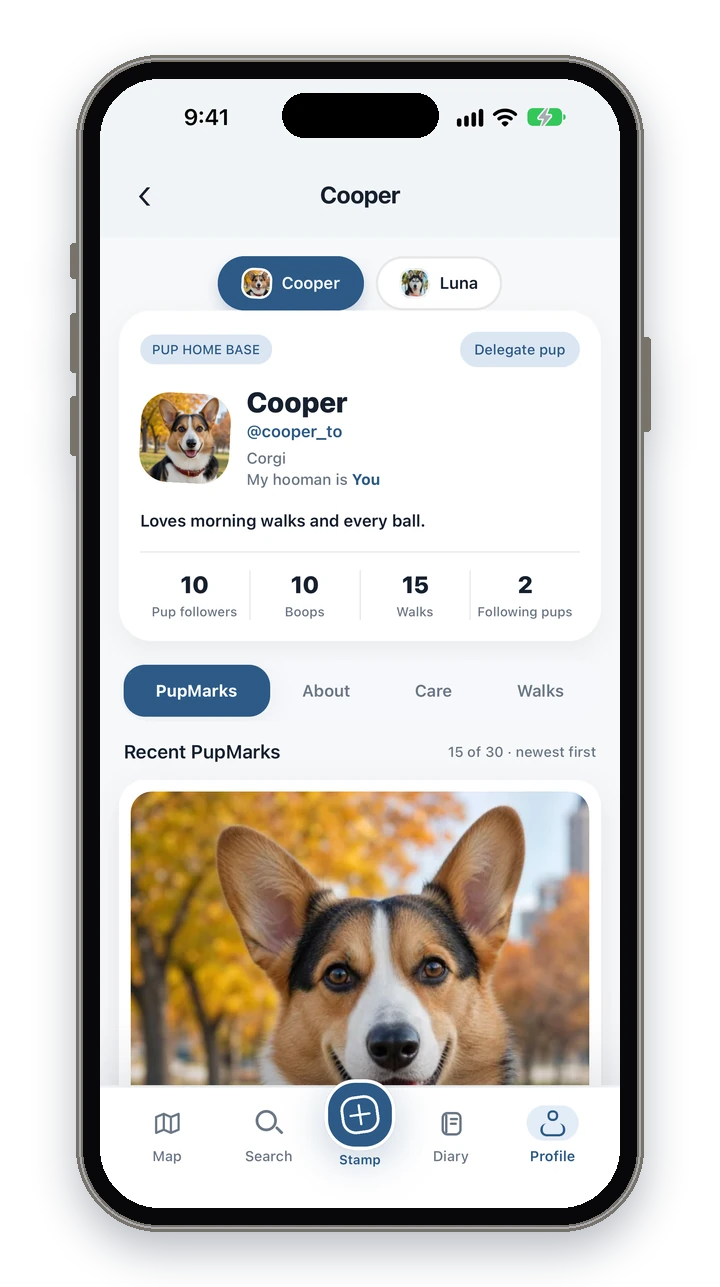
PupMarks lets puppy owners keep photos, notes, recorded walks, and care records with a profile for each pup.
PupMarks brings pup profiles, walks, and memories into one personal story for your puppy.
Create your puppy’s profile in PupMarks
In PupMarks, your puppy gets a profile of their own.
- Choose a clear photo for your puppy’s profile.
- Add a short story about their favorite things.
- Check the selected pup before saving a memory.
Have several dogs? Choose a different photo for each pup. Everyone gets their own chapter.
Each profile has About, Care, and Walks areas, so your puppy’s details, private care records, and recorded walks stay together under their name.
Save PupMarks with photos and notes
In PupMarks, a photo and a few words bring back the whole afternoon.
- Add a PupMark for the moment you want to keep.
- Choose a photo that captures the experience.
- Add a short note about what made it special.
A PupMark connects a moment with a place. Save one during a walk or whenever a memory happens. Try “Found a leaf bigger than those paws.”
Record a walk with PupMarks
Recording a walk in PupMarks takes a few taps.
- Open Walk.
- Choose the pups joining the outing.
- Tap Start walk.
- Tap Stop when the outing ends.
- Open the recap to revisit the adventure.
PupMarks saves the route, duration, distance, participating pups, and PupMarks. A familiar path can hold a brand-new puppy discovery.
Choose who sees each PupMark
Each PupMark has its own audience.
- Choose visibility for the PupMark.
- Select exact or approximate location precision for its pin.
- Review the photo and note before sharing.
Keep personal entries private or share with approved followers. PupMarks also supports its wider signed-in community. Your recorded walk route stays private.
Who is PupMarks for?
PupMarks suits anyone who wants the first weeks and months with a new pup to be easy to look back on.
- New puppy owners: give your pup a profile, record short outings, and save photos with a few words while everything is still new.
- Families raising a pup together: one place holds the walks, photos, and notes, so the funny details do not stay in one person’s camera roll.
- People with more than one dog: each pup gets their own profile, and you choose which pups join each walk.
- Owners who like to keep care records: each profile has a Care area for private care records, next to About and Walks.
Step by step: set up your puppy and record a first walk
- Download PupMarks from the App Store or Google Play.
- Add your puppy’s profile photo and a short story about what they love.
- Open Walk and choose your puppy.
- Tap Start walk and head out.
- Add a PupMark for a sniff, a new friend, or a photo you want to keep.
- Tap Stop when you are home.
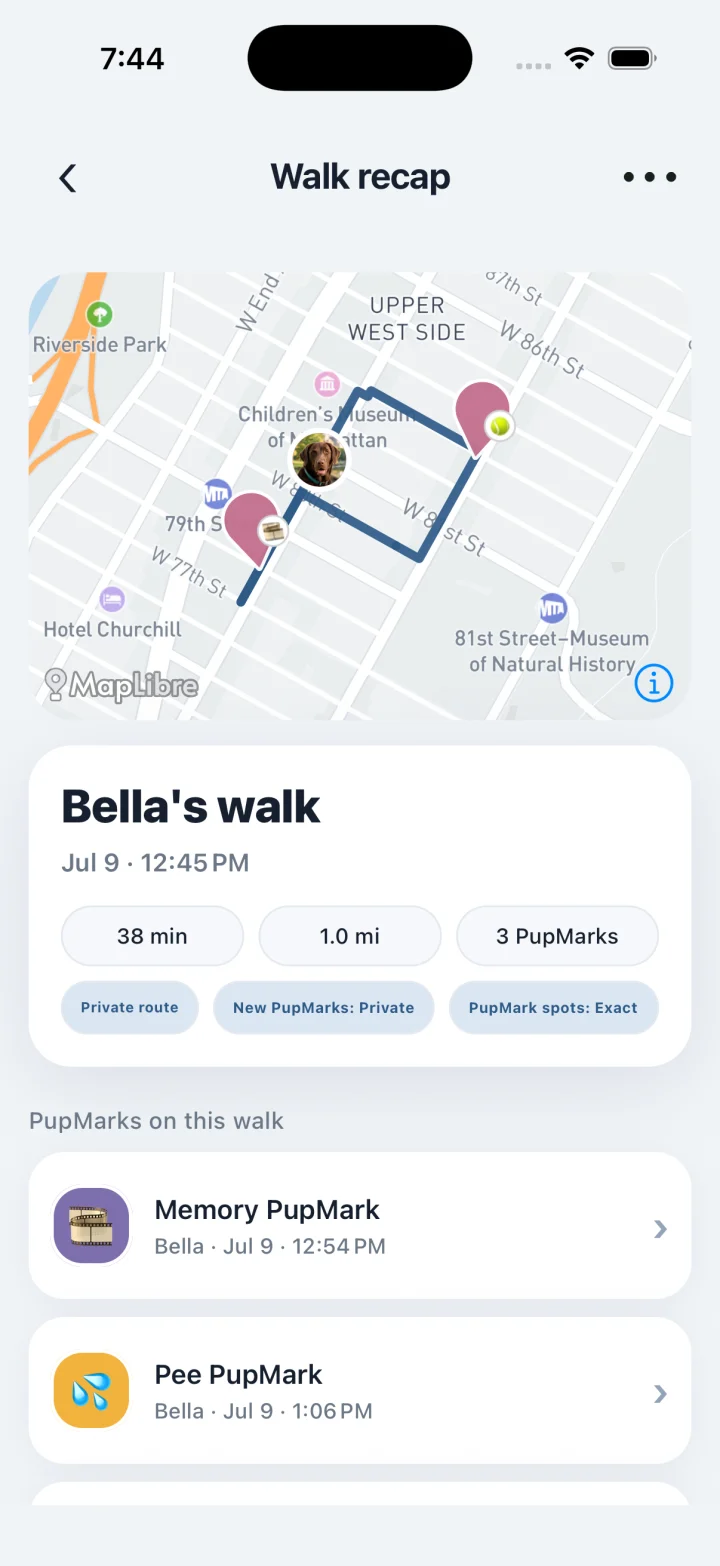
Your first recap is a nice place to see how a short, ordinary outing turns into a saved story.
Step by step: look back at the week
- Open your Pup Diary.
- Look at the recap cards for the past seven days.
- Open a walk or PupMark you want to revisit.
- Edit it to add a photo or a few more words.
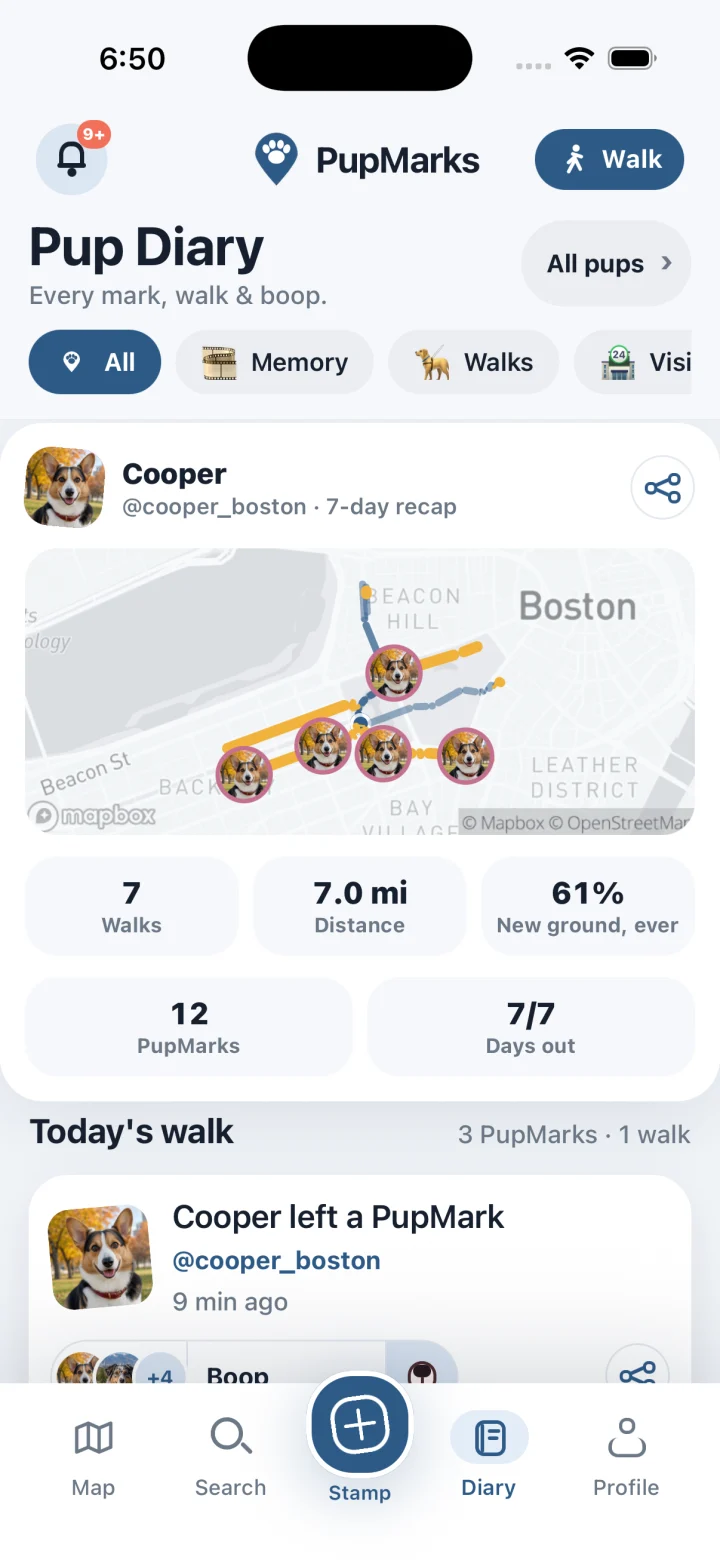
The weekly recap shows walks, distance, PupMarks, unique paths, and days out, per pup. Puppy weeks change fast, so a quick look back shows how much has changed.
Your first weeks with PupMarks
Here is what to try in PupMarks during the first weeks.
- Save one moment a day: a photo and a single line is plenty. Try “Learned that the mailbox is not a friend.”
- Record the same outing a few times: a familiar walk shows how your puppy’s world grows from one week to the next.
- Add details after the fact: edit a PupMark later to add a photo or the name of a new friend.
- Check the pup before you save: if you have more than one pup, make sure each moment lands in the right chapter.
Your saved moments collect in your Pup Diary, with photos, short notes, and recorded walks side by side.
Puppy days are short and busy. PupMarks keeps the small things in one place, so you can enjoy them now and find them again later.
Frequently asked questions
Is PupMarks free?
Free to download. You can use owner features and recent saved history without a subscription. Optional PupMarks Plus gives access to older saved Diary entries, walks, PupMarks, and activity. Check the app for the current free history window, subscription price, and terms.
Does PupMarks work on iPhone and Android?
Yes. PupMarks is on the App Store for iPhone and on Google Play for Android.
Is a second pup free?
No. Your first living pup is free, and more pups need PupMarks Plus. Memorial and rehomed pups do not count toward that.
Can I walk two dogs at once?
Yes. Pick the pups before the walk starts, then choose which pups each PupMark belongs to in the Stamp sheet.
Does recording a walk use battery?
Recording uses your phone’s location (GPS), which uses battery while a walk is active. It ends when you tap Stop.
Who can see my walk route?
Only the walk’s owners and a walker with active access can see the exact route. A shared summary keeps the exact route private.
Can I add photos later?
Yes. Open the PupMark, tap Edit, and add a photo or a few more words whenever you like.
Can I add care records for my puppy?
Yes. Each pup’s profile has a Care area for private care records, next to About and Walks.
Related guides
- Puppy diary guide: save firsts, photos, and short notes as Memory PupMarks.
- Dog profile guide: shape your pup’s page in the app.
- PupMarks for dogs and their people: shared routines for you and your pup.