
More than one dog
A Pup Diary for more than one dog
Yes. Each pup has its own profile, Pup pals and Boops, and you choose which pups to show, walk and stamp. The first pup is free; more pups come with PupMarks Plus.
Can I keep a diary for more than one dog in PupMarks?
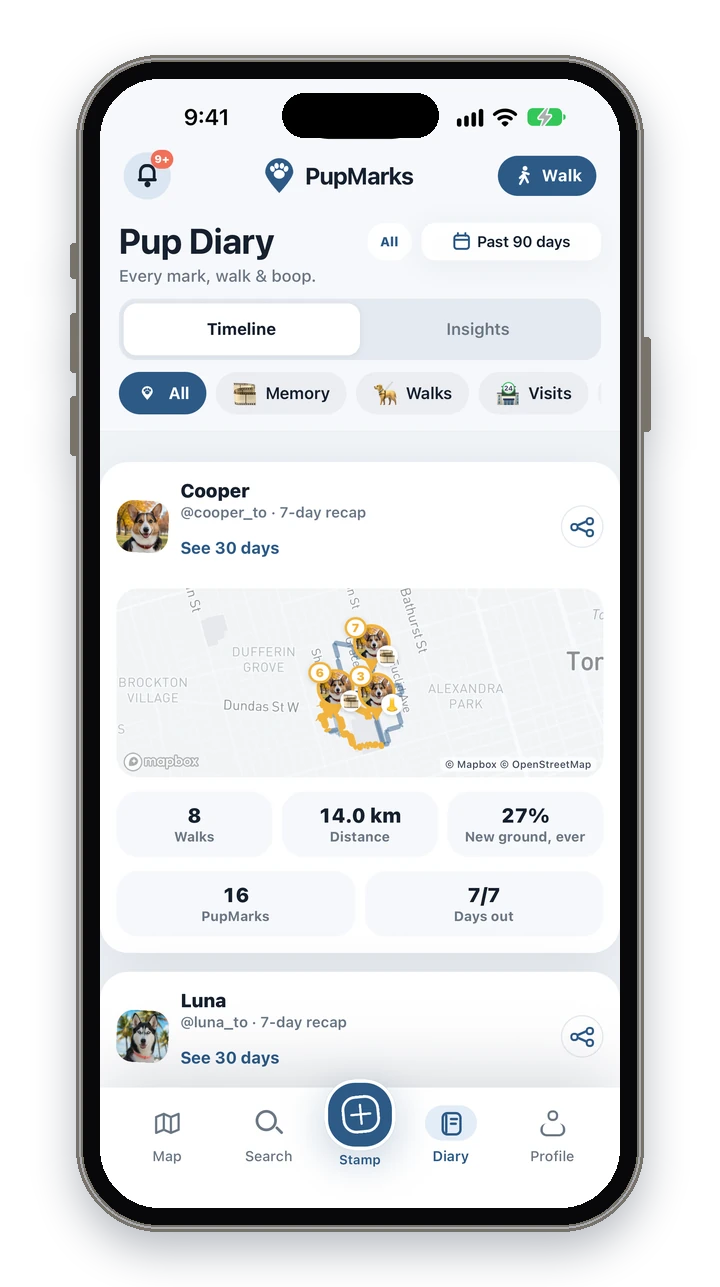
Yes. Every dog is a pup with its own profile, and its walks and PupMarks stay with that pup. In the Pup Diary you can look at one pup or at several together.
Open the pup selector next to the timeframe and choose All my pups, one pup, or several. The map works the same way: pick one pup for a focused map, or several together.
Each pup that has walked this week gets its own 7-day recap card in the Pup Diary.
How do I add a second dog to PupMarks?
Open Profile, find Your pack and tap Add pup. Create the profile and your new pup joins the others. A second living pup needs PupMarks Plus.
- Open Profile.
- In Your pack, tap Add pup.
- Enter your pup’s name and any details you want to add.
- If PupMarks asks, choose PupMarks Plus.
- Save the profile.
Does each dog get its own profile and followers?
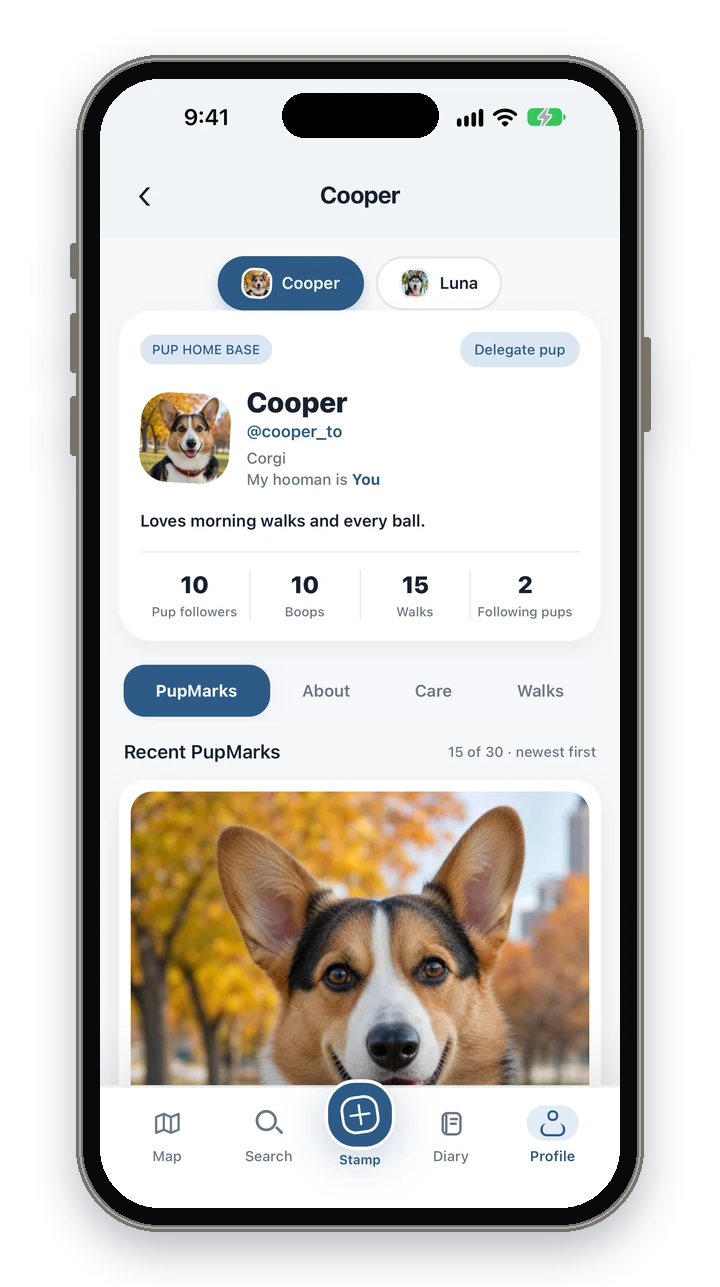
Yes. Each pup has its own profile with PupMarks, About, Care and Walks, and its own Pup followers, Boops and Following pups. Those are that pup’s Pup pals.
Approved Pup pals see the PupMarks you choose to share with them. Walks and exact routes stay private.
To switch pups, tap a pup in Your pack, or tap another name chip at the top of a profile.
Can I Boop as all my dogs?
Yes. Tap the Boop button to Boop as all your pups. Hold it, or tap the faces, to choose which ones.
A plain tap on Boop sends it as all your pups that can Boop that PupMark. To choose which pups send it, hold Boop or tap the faces beside it, then tap each pup’s face to turn it on or off. A Boop sent as one pup shows that pup’s face. With only one pup, Boop is sent as that pup.
Can I walk two dogs at once and save moments for each?
Yes. Pick two or more pups before you start the walk, and the walk is saved for each of them. While you walk, you choose which pups each PupMark belongs to.
On the walk screen, choose your pups, set sharing, then start walking. Once the walk has started, its pups stay as chosen.
A walk with two pups counts once overall and once for each pup in your stats.
How do I choose which dog a PupMark belongs to?
Open the Stamp sheet and look at Stamping as. Tap a pup’s face to turn it on or off, and the PupMark is saved for every pup you picked.
During a walk, the sheet lists the pups on that walk and they all start selected, so tap a pup to take it off. Outside a walk, the pup you are looking at starts selected and you can add more. You need at least one pup selected to save.
How do I see each dog’s walks and recaps?
Focus on one pup with the pup selector or a pup chip, then open its walks and recaps.
- Pup Diary: each pup’s 7-day recap has a Relive this adventure button that makes a Replay.
- Months: the Relive card for a finished month has a small picker when several pups qualify.
- Map: on the Walks tab, choose pups to focus the walks you see.
- Insights: follows the pups you pick. Past 7 days is free, and longer periods come with PupMarks Plus.
- Profile: each pup’s Walks tab lists its walks.
To see how a Replay is made, read the Replay guide.
Can my dog walker add moments for my dog?
Yes. You can share one or more pups with a trusted walker for a set time, and the walker saves moments from the walk. You get the recap and the PupMarks in PupMarks.
- The owner chooses the pup, enters the walker’s PupMarks username or email, and sets when access starts and ends.
- The walker accepts the request. Nothing is shared until they do.
- During the window, the pup appears in the walker’s pack. The walker can start a walk and stamp PupMarks.
- After the walk, the walker sends the saved recap and PupMarks to the owner, who gets the walk receipt in the Activity Feed.
Delegated PupMarks and walk summaries stay private until you share them. You can end access early, and while a pup is with a walker you end the handoff before you walk that pup yourself. Each person uses their own PupMarks account. Read more for dog walkers.
Is a second dog free?
No. The first living pup is free, and more pups need PupMarks Plus. Your current pups stay with you.
Memorial pups do not count toward the free pup. A pup you have rehomed no longer counts either. If you have no other living pup, you can add a new one for free. Another living pup still uses the free spot. The app shows the current price and terms before you subscribe.
Next, customize your Pup Diary, style your walk cards or read the dog diary guide.