
Little firsts worth keeping
Puppy diary app: save your puppy’s firsts in PupMarks
Save puppy photos, firsts, and short notes in PupMarks. Add a Memory PupMark during a walk or on its own, and choose its audience and location precision.
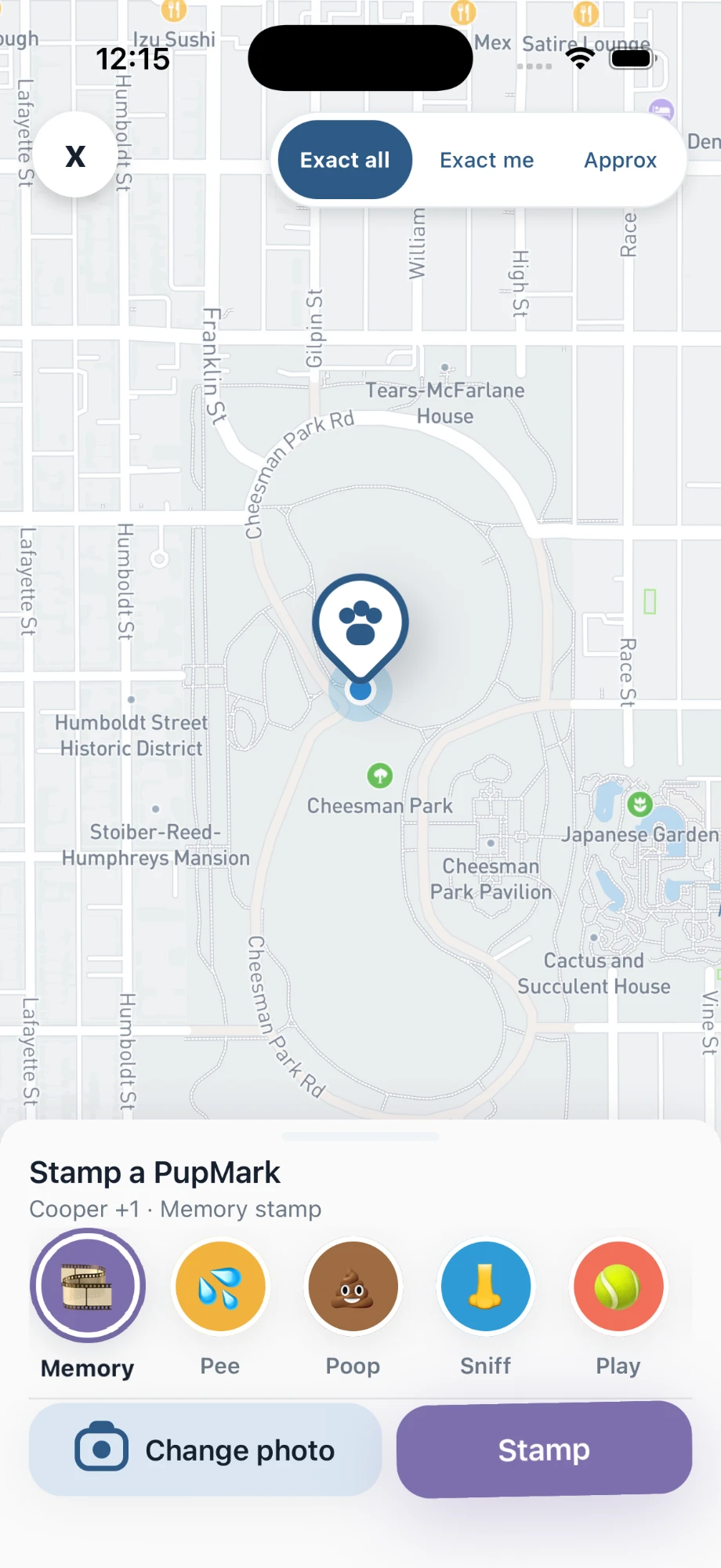
Use PupMarks as a puppy diary to save photos and short notes about firsts, new friends, and everyday habits. Each PupMark belongs to a selected pup and a place.
With PupMarks, you can save photos, places, and a few personal words. Every entry adds another piece to your puppy’s story. Begin with the moment that made you smile today.
Save a first as a PupMark
A PupMark can hold a beautifully ordinary milestone. The first leaf carried home. The first nap beside your shoes. The first greeting from a familiar neighbor.
Add a PupMark, write what happened and what caught your eye, and PupMarks keeps it with your pup and the place. A small, honest detail can bring back an entire day.
Try “Met the sprinkler and came back for another look.” Your puppy’s personality lives in that sentence. Future you will remember the scene.
Turn a photo into a story
A picture captures the expression. A short note brings back the scene.
- Add a PupMark for your puppy’s moment.
- Choose the Memory category for a personal memory.
- Add a photo that captures the experience.
- Write a short note about what happened.
A PupMark connects the memory to a place. Save one during an outing or as a moment on its own. Other categories include sniff and play.
Open an earlier PupMark again
Return to a favorite toy or a familiar spot by opening an earlier PupMark in your Pup Diary. That enormous toy may soon look perfectly puppy-sized.
Save another photo and add a sentence about what changed. Your Pup Diary keeps the earlier and later PupMarks together, so you can look back at the expressions, the places, and the little habits.
Choose who sees each PupMark
Each PupMark has its own audience.
- Select visibility for the PupMark.
- Choose exact or approximate location precision for its pin.
- Review the photo and note before sharing.
Keep a memory private or share with approved followers. PupMarks also supports its wider signed-in community. Our FAQ explains the settings.
Who is the PupMarks puppy diary for?
PupMarks suits anyone who knows these weeks will pass quickly.
- New puppy owners: save the first leaf, the first nap, and the first new friend with a photo and a short note.
- Families sharing one pup: a friend or relative can record a walk with time-limited access you approve, and every PupMark stays tied to a place and a pup.
- People raising two pups: choose which pup each moment belongs to, so every pup keeps their own chapter.
- Owners who like looking back: the Pup Diary keeps your saved moments in one place to revisit.
Step by step: save a first as a Memory PupMark
- Start a PupMark for your pup.
- In the Stamp sheet, choose the Memory category.
- Add a photo.
- Write a short note, such as what happened and who was there.
- Choose the audience and the pin precision.
- Save the PupMark.
You can stamp a Memory during a walk or on its own, at home or at the park.
Step by step: give your puppy their own profile
- Open Profile.
- Choose your puppy and add a clear photo.
- Write a short story about their favorite things.
- Open Your pack and tap Add pup if another pup joins your family.
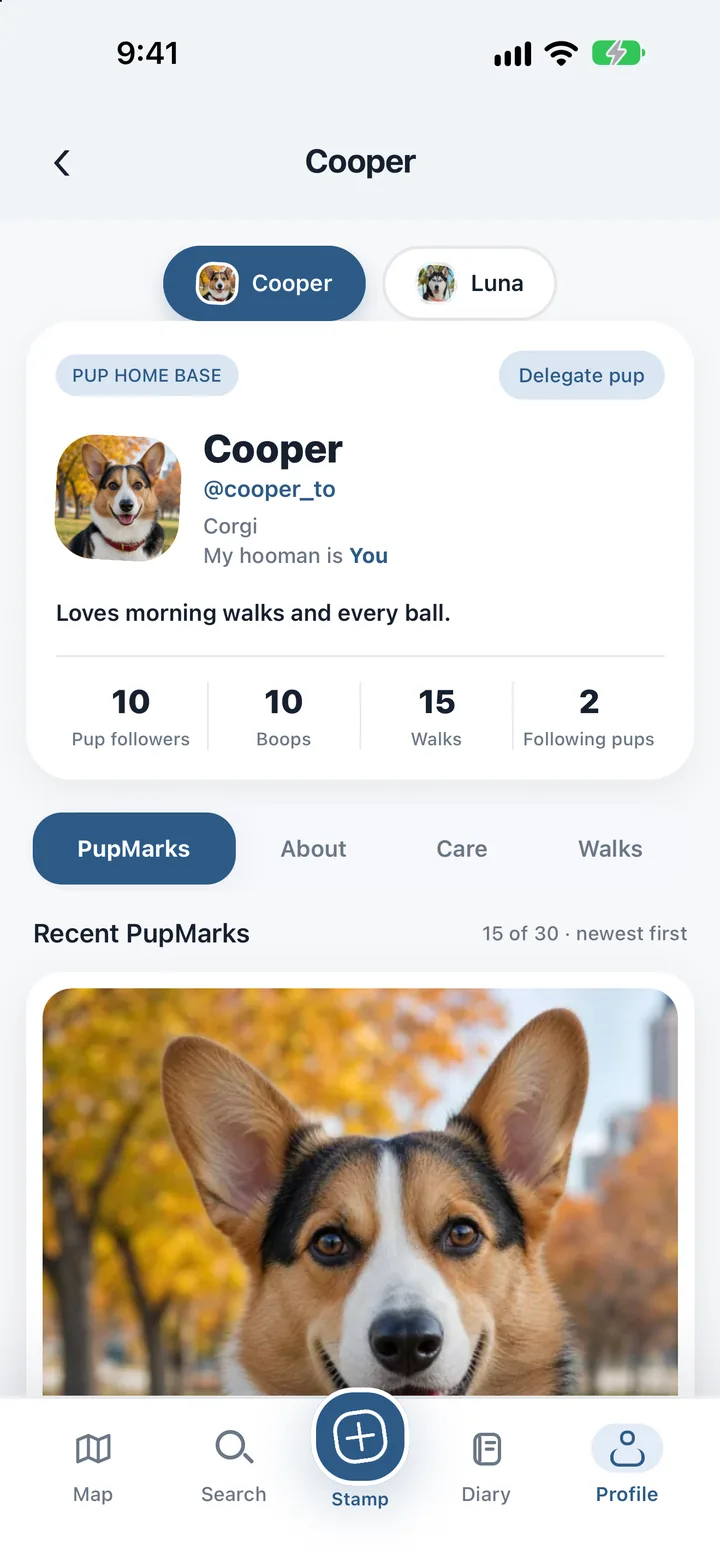
Your first living pup is free. More pups need PupMarks Plus.
Step by step: look back at your saved firsts
- Open your Pup Diary.
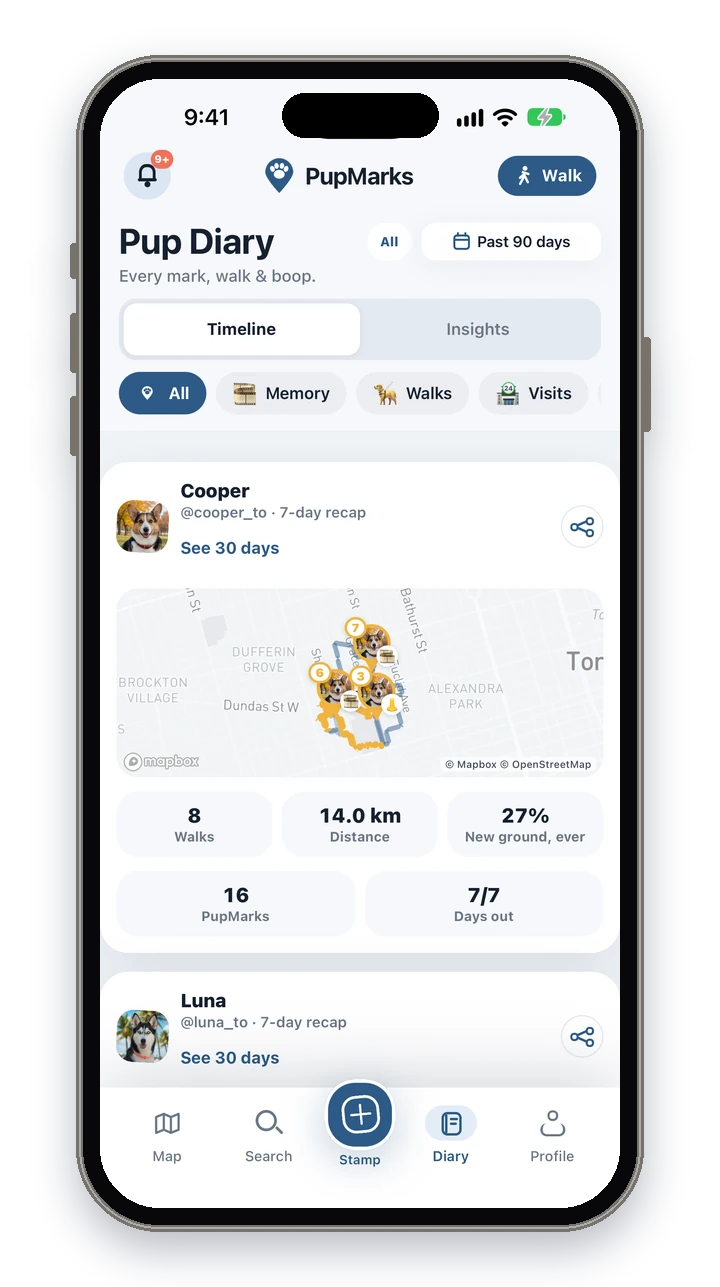
- Stay on the Timeline tab to scroll through your saved moments.
- Use the filter chips to find one pup or one kind of moment.
- Open a PupMark to read the note again or edit it.
Puppy firsts to save as PupMarks
Not sure what to save as a PupMark? Start with something small. These moments tend to be the ones people want back later.
- The first big discovery: a puddle, a leaf, a sprinkler, or a very large stick.
- The first new friend: add the friend’s name and where you met.
- The first familiar spot: a corner where your puppy always stops to sniff.
- The first quiet moment: a nap, a yawn, or a head on your shoe.
A line like “Found out the stairs go both ways” will make you smile in a year. Add a photo when you have one, and a few honest words when you do not.
Frequently asked questions
Is PupMarks free?
Free to download. You can use owner features and recent saved history without a subscription. Optional PupMarks Plus gives access to older saved Diary entries, walks, PupMarks, and activity. Check the app for the current free history window, subscription price, and terms.
Does PupMarks work on iPhone and Android?
Yes. PupMarks is on the App Store for iPhone and on Google Play for Android.
Can I add photos later?
Yes. Open the PupMark, tap Edit, and add a photo or a few more words whenever you like.
Is a second pup free?
No. Your first living pup is free, and more pups need PupMarks Plus. Memorial and rehomed pups do not count toward that.
Can I see older walks?
Recent saved history works without a subscription. Optional PupMarks Plus gives access to older saved Diary entries, walks, PupMarks, and activity. Check the app for the current free history window, subscription price, and terms.
Who can see my puppy’s memories?
You choose. Each PupMark has its own audience and location-precision setting, so you can keep one private and share another with approved followers.
Do I need to record a walk to save a memory?
No. A PupMark can stand on its own, or you can add one during a walk.
Can my puppy’s diary include walks too?
Yes. Recorded walks and PupMarks live together in the Pup Diary, so a first outing and its photos stay side by side.
Related guides
- Puppy app setup guide: a gentle start with profiles, walks, and sharing.
- Dog diary guide: walks, photos, and notes for the days that follow.
- Pup Diary for more than one dog: keep a separate chapter for each pup.